Mark Gadala-Maria (@markgadala)
Clawdbot이 '수년 만의 가장 큰 도약'이라고 소개되며 주목받고 있습니다. 작성자는 Clawdbot의 강력함을 보여주는 10가지 놀라운 사용 사례를 언급하며, 이 도구(또는 모델)가 다양한 혁신적 응용을 촉발할 가능성을 시사합니다.
Mark Gadala-Maria (@markgadala)
Clawdbot이 '수년 만의 가장 큰 도약'이라고 소개되며 주목받고 있습니다. 작성자는 Clawdbot의 강력함을 보여주는 10가지 놀라운 사용 사례를 언급하며, 이 도구(또는 모델)가 다양한 혁신적 응용을 촉발할 가능성을 시사합니다.
swyx (@swyx)
LLM(대형 언어모델) 사용 사례 순위에서 롤플레이(roleplay)가 코딩(koding) 다음으로 2위에 자리한다는 관찰. 주요 모델 연구실(major model lab)이 롤플레이 커뮤니티를 공식적으로 수용하는 방향으로 나선 점을 환영하며, 그간 커뮤니티가 비주류로 취급되던 관행에 대한 변화로 해석됨. LLM 활용 트렌드 관찰성 기사.
Claude (@claudeai)
최근 사람들이 Claude Code를 사용해 만든 매우 구체적인 프로젝트 사례들을 소개하는 짧은 언급입니다. Claude Code를 활용한 다양한 구현·응용 사례가 활발하게 나오고 있음을 알리는 내용입니다.
Add Salesforce Files and Attachments to Multiple Related Lists On Content Document Trigger
Flow builders, rejoice! Now with the Spring 26 Release you can trigger your flow automations on ContentDocument and ContentVersion Flow objects for Files and Attachments. Salesforce had delivered a new event type in the previous release that supported flow triggers for standard object files and attachments. The functionality was limited. In this release, Salesforce gave us the ability to trigger on all new files/attachments and their updates for all objects.
Use case: When a document is uploaded to a custom object with lookups to other objects like contact and account, add links to these objects, so that the same file is visible and listed under the related lists.You could easily expand this use case to add additional sharing to the uploaded file, which is also a common pain point in many organizations. I will leave out this use case for now which you can easily explore by expanding the functionality of this flow.
Objects that are involved when you upload a file
In Salesforce, three objects work together to manage files: ContentDocument, ContentVersion and ContentDocumentLink.
Think of them as a hierarchy that separates the file record, the actual data, and the location where it is shared. The definition for these three core objects are:
ContentDocument: Represents the “shell” or the permanent ID of a file. It doesn’t store the data itself but acts as a parent container that remains constant even if you upload new versions.
ContentVersion: This is where the actual file data (the “meat”) lives. Every time you upload a new version of a file, a new ContentVersion record is created. It tracks the size, extension, and the binary data.
ContentDocumentLink: This is a junction object that links a file to other records (like an Account, Opportunity, or Case) or users. It defines who can see the file and what their permissions are.
Object Relationships:
The relationship is structured to allow for version control and many-to-many sharing:
ContentDocument > ContentVersion: One-to-Many. One document can have many versions, but only one is the “Latest Published Version.
ContentDocument > ContentDocumentLink: One-to-Many. One document can be linked to many different records or users simultaneously.
ContentDocumentLink is a junction object that does not allow duplicates. If you attempt to create the relationship between a linked entity and the content document when it already exists, your attempt will fail.
What happens when a file is uploaded to the files related list under an object?
Salesforce creates the ContentDocument and ContentVersion records. Salesforce will also create the necessary ContentDocumentLink records; often one for the object record relationship, one for the user who uploaded the file.
For each new file (not a new version of the same file) a new ContentDocument record will be created. You can trigger your automation based on this record being created, and then create additional ContentDocumentLink records to expand relationships and sharing.
Building Blocks of the Content Document Triggered Automation
For this use case I used a custom object named Staging Record which has dedicated fields for Contact and Account (both lookups). This method of uploading new documents and updating new field values to a custom record is often used when dealing with integrations and digital experience users. You can easily build a similar automation if a ContentDocumentLink for the Account needs to be created when the file is uploaded to a standard object like Contact.
Follow these steps to build your flow:
LEFT({!currentItem_Filter_Staging.LinkedEntityId},3)= {!ObjectPrefixConstant}Here is a screenshot of the resulting flow.
Here is what happens when you create a staging record and upload a file to Salesforce using the related list under this record.
Here is the resulting view on the Contact and Account records.
Why is the Scheduled Path or Async Path Necessary?
When a file is uploaded, a ContentDocument record and a ContenDocumentVersion record are created. The junction object for the ContentDocumentLink record will need to be created after these records are created, because the relationship is established by populating these Ids on this record. When you build the automation on the immediate path, your get will not find the ContentDocumentLink record. To ensure Salesforce flow can find the record, use either async path or scheduled path.
When you build the automation on the immediate path, the ContentDocumentLink records are not created. You don’t receive a fault email, either, although the automation runs well in debug mode. I wanted to observe this behavior in detail, and therefore I set up a user trace to log the steps involved. This is the message I have found that is stopping the flow from executing:(248995872)|FLOW_BULK_ELEMENT_NOT_SUPPORTED|FlowRecordLookup|Get_Contact_Document_Links|ContentDocumentLink
According to this the get step for ContentDocumentLink records cannot be bulkified, and therefore the flow cannot execute. Flow engine attempts to always bulkify gets. There is nothing fancy about the get criteria here. What must give us trouble is the unique nature of the ContentDocumentLink object.
The async path seems to bypass this issue. However, if you want to ensure this element is never executed in bulk, the better approach is to use a scheduled path with zero delay and set the batch size to one record in advanced settings. I have communicated this message to the product team.
Please note that the scheduled path takes a minute to execute in my preview org. Be patient and check back if you don’t initially see the new ContentDocumentLink records.
Conclusion
In the past, handling file uploads gave flow builders a lot of trouble, because the related objects did not support flow triggers.
Now that we have this functionality rolling out in the latest release, the opportunities are pretty much limitless. The functionality still has its quirks as you can see above.
I would recommend that you set up a custom metadata kill switch for this automation so that it can easily be turned off for bulk upload scenarios.
Watch the video on our YouTube channel.
[youtube https://www.youtube.com/watch?v=Gl0XCtMAhmc?feature=oembed&w=800&h=450]
Explore related content:
Top Spring 26 Salesforce Flow Features
Should You Use Fault Paths in Salesforce Flows?
How to Use Custom Metadata Types in Flow
See the Spring 26 Release Notes HERE.
#Automation #Salesforce #SalesforceAdmins #SalesforceDevelopers #SalesforceTutorials #Spring26 #UseCases


#UseCases #Forschungsdaten #Teilen
In unserer Reihe "Use Cases Daten archivieren und teilen" berichtet Dr. Daniel Prantl, wie er knapp 30 mehrperspektivische Unterrichtsvideografien aus Streicherklassenprojekten über das FDZ Bildung am @dipf_aktuell zugänglich gemacht hat.
Warum das Teilen sensibler Videodaten wichtig ist, wie Sekundärnutzung die Forschung stärkt – und welche Erfahrungen er im Prozess gemacht hat: 👉 Zum Interview: https://tinyurl.com/mrywdz5y
Zu den Daten: https://tinyurl.com/3388mv2n

🎉🎈 Go's "sweet 16" bash is here, featuring exhilarating dropdown menus and riveting use case stories that thrill exactly nobody. 🥳🔍 If you're somehow not already hypnotized by Go's groundbreaking ability to click on arrows, brace yourself for a deep dive into pressing 'Enter.' 🎂🔧
https://go.dev/blog/16years #GoLang #Sweet16 #DropdownMenus #UseCases #EnterKey #HackerNews #ngated
Ich freue mich sehr, nächsten Mittwoch (29.10.) bei #DHnetJena einen Einblick in @nfdi4objects und meine Arbeit im Konsortium zu geben. Freut Euch auf Informationen über unser Konsortium #NFDI4Objects, #NFDI, unseren #Knowledgegraph, #Objektdaten, die #Objektbiografie und unsere #UseCases in #WissKI 😊, unsere Bestrebungen in der #LIDO AG ( #LIDO2RDF, LIDO für #Archäologie), #Normdaten und #Vokabulare, den #Objektkerndatensatz #ObjectCoreMetadataProfile und wir Ihr Euch bei uns beteiligen könnt.

#SQLTriggers #LệnhTriggers
Tổng quan về lệnh Triggers SQL: cách ứng dụng lồng nhau (nested), đệ quy (recursive) và sử dụng trong thực tế. Bài viết còn đề cập thảo luận Reddit về công cụ AI hỗ trợ tối ưu Triggers phức tạp. #UseCases #ỨngDụngThựcTiễn #AITools
#Design #Analyses
Where’s the AI design renaissance? · “Good design comes from a broader process.” https://ilo.im/167ljt
_____
#AI #UseCases #VibeCoding #Prototyping #DesignTools #DesignProcess #ProductDesign #UxDesign #UiDesign #WebDesign
One of our think tank members @todd_a_jacobs points out the importance of defining clear #EnterpriseAI #usecases before metrics when creating both #KPI and #OKR #metrics. Adoptions and integrations are underperforming across industries because of this common mistake.
🚀 Heute bei der #Herbsttagung des Deutscher Museumsbund: eine Vorstellung der Arbeit der #NFDI4Objects #TWG #Besitznachweis im #Verlustfall durch Christoph Klose und @4nn4_clickt.
ℹ️ Diese Arbeitsgruppe hat verschiedene #Standards anhand von #UseCases evaluiert, die zur #Erschließung von #Objekten dienen und inwieweit diese adaptiert werden können. Im Verlustfall sind die #Metadaten und die #Digitalisate oft das einzige Zeugnis von den verlorenen Objekten.
1/2


The #DIF #poster at #CoRDI2025 is conveniently located. Two other posters of @dalia are on the second floor too. Have a cup of tea or coffee, and discuss our #metadataschema and #ControlledVocabularies at this poster. Or learn about #usecases and #userstories (poster 167) or #trustedResearchEnvironment (poster 172).

👀 Looking for a WAF that actually fits your stack instead of forcing you to change it?
CrowdSec WAF is being used every day by DevOps teams, hosting providers, and businesses to secure everything from Kubernetes clusters to on-prem servers and cloud applications.
⚡ It's fast to deploy, easy to integrate, and built to scale with your infrastructure.
Discover how our community around the world is using the CrowdSec WAF 👉 https://www.crowdsec.net/blog/crowdsec-waf-in-action-real-world-use-cases
#WAF #webapplicationfirewall #usecases #DevOps #kubernetes #onprem #cloudapplications
@KM_BW @kdsz_bayern Spannend. Einige #UseCases findet man am #Taskcards-Board https://lfb-bw.taskcards.app/#/board/791bdfc1-0a03-4123-ae29-25730f5e250f/view?token=e3df39bc-4dae-43f1-9634-67867f9be77f
Check out our Use Cases and User Stories now on our website: 🌐
➡️https://dalia.education/de/use_cases
@NFDI4Chem @nfdi4culture @nfdi4ing @nfdi4health
#DALIA #dataliteracy #RDM #usecases #userstories

Red Lobster’s recipe for disaster recovery
When Shawn Harrs joined Red Lobster as EVP & CIO, one of his first discoveries wasn’t exactly comforting. The seafood chain had solid IT infrastructure spread across two data centers, but if disaster struck, it would take up to two weeks to get back…
#dining #cooking #diet #food #RecipeTopics #audio #Infrastructure #Recipes #RecipesTopics #Thediginomicanetwork #Usecases
https://www.diningandcooking.com/2136079/red-lobsters-recipe-for-disaster-recovery/
Abonniere das #CivicCoding-Update mit den wichtigsten Informationen rund um #KI 🤝 #Gemeinwohl.
Diese Themen sind dabei:
🚩Im #CivicCoding-Forum stellen wir uns mit #MissionKI die Frage, wie gemeinwohlorientierte Organisationen sinnvolle #UseCases für KI erkennen.
📅Beim #DeutschenFürsorgetag dreht sich alles um TRANSFORMATIONEN·SOZIAL·MACHEN.
💾Das @CivicDataLab zeigt, wie Organisationen Daten stärker verankern.
Für weitere Veranstaltungstipps & #KI-News – jetzt abonnieren: https://www.civic-coding.de/newsletter-anmeldung
https://toot.cat/@somecat/114672250063541822
somecat@toot.cat - as a cat, i just want to say, meow
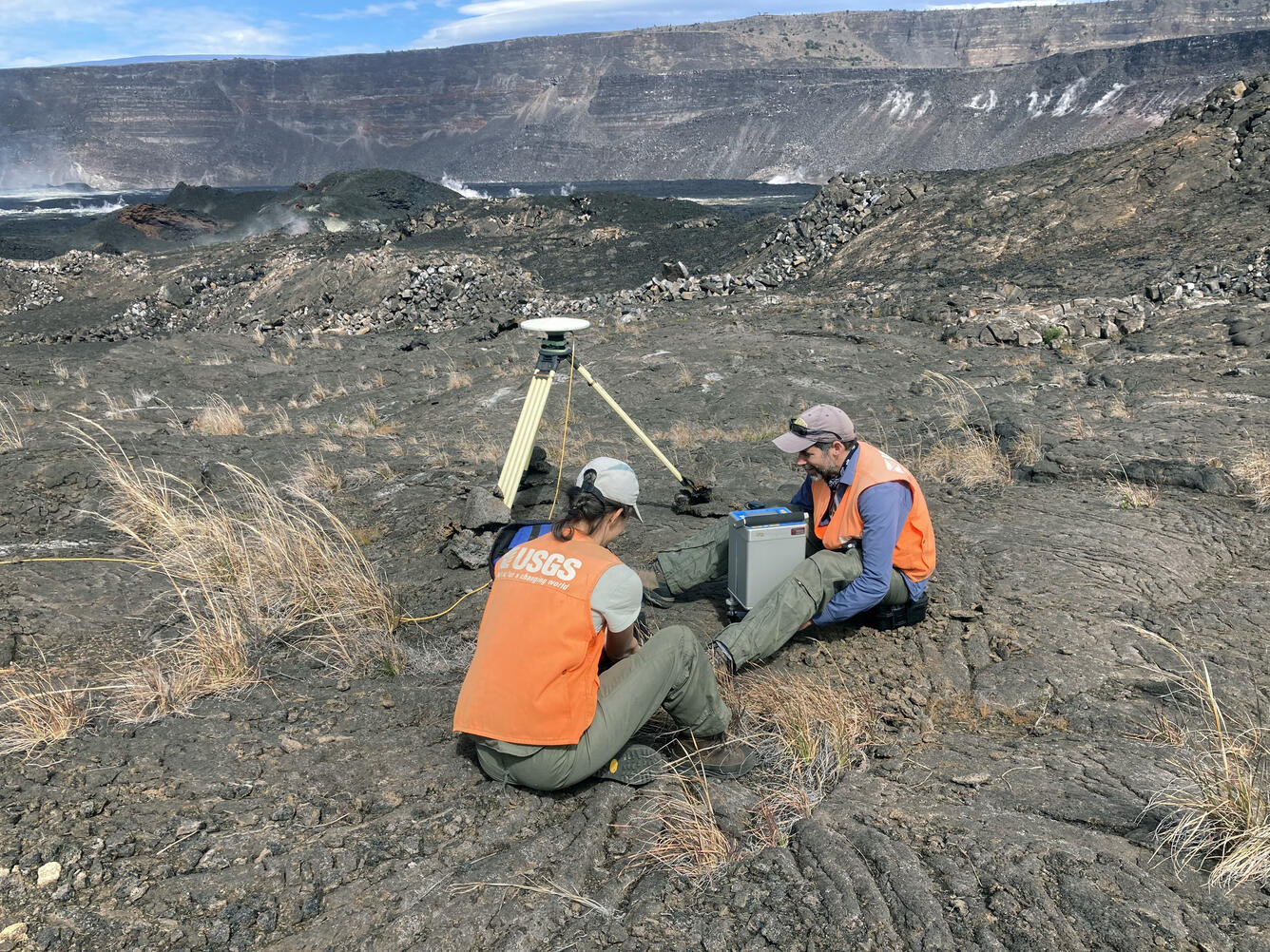
The Feasibility Of Using LiDAR-Derived Digital Elevation Models [DEMs] For Gravity Data Reduction
--
https://www.usgs.gov/3d-elevation-program/news/feasibility-using-lidar-derived-digital-elevation-models-gravity-data <-- shared article
--
https://pubs.usgs.gov/publication/ofr20251019 <-- shared report
--
“A nice report from our colleagues in the USGS Mineral Resources Program on the feasibility of lidar-derived DEMs, including 3DEP data, for gravity data reduction…”
#GIS #spatial #mapping #3dep #elevation #fedscience #remotesensing #earthobservation #gravity #submetre #accuracy #precision #dGNSS #GNSS #global #navigation #satellite #GPS #LiDAR #DEMs #gravimetrics #milligals #Bouguer #anomaly #monitoring #corrleation #refinement #datareduction #appliedscience #usecases
@USGS


In 2025, AI use cases are shifting from technical tasks to human needs. Therapy is now the #1 use, followed by organizing life and finding purpose. Gen AI is becoming a tool for emotional support, self-actualization, and personal growth—not just productivity.
#AI #GenAI #UseCases #Purpose #FutureOfWork #llm
https://hbr.org/2025/04/how-people-are-really-using-gen-ai-in-2025