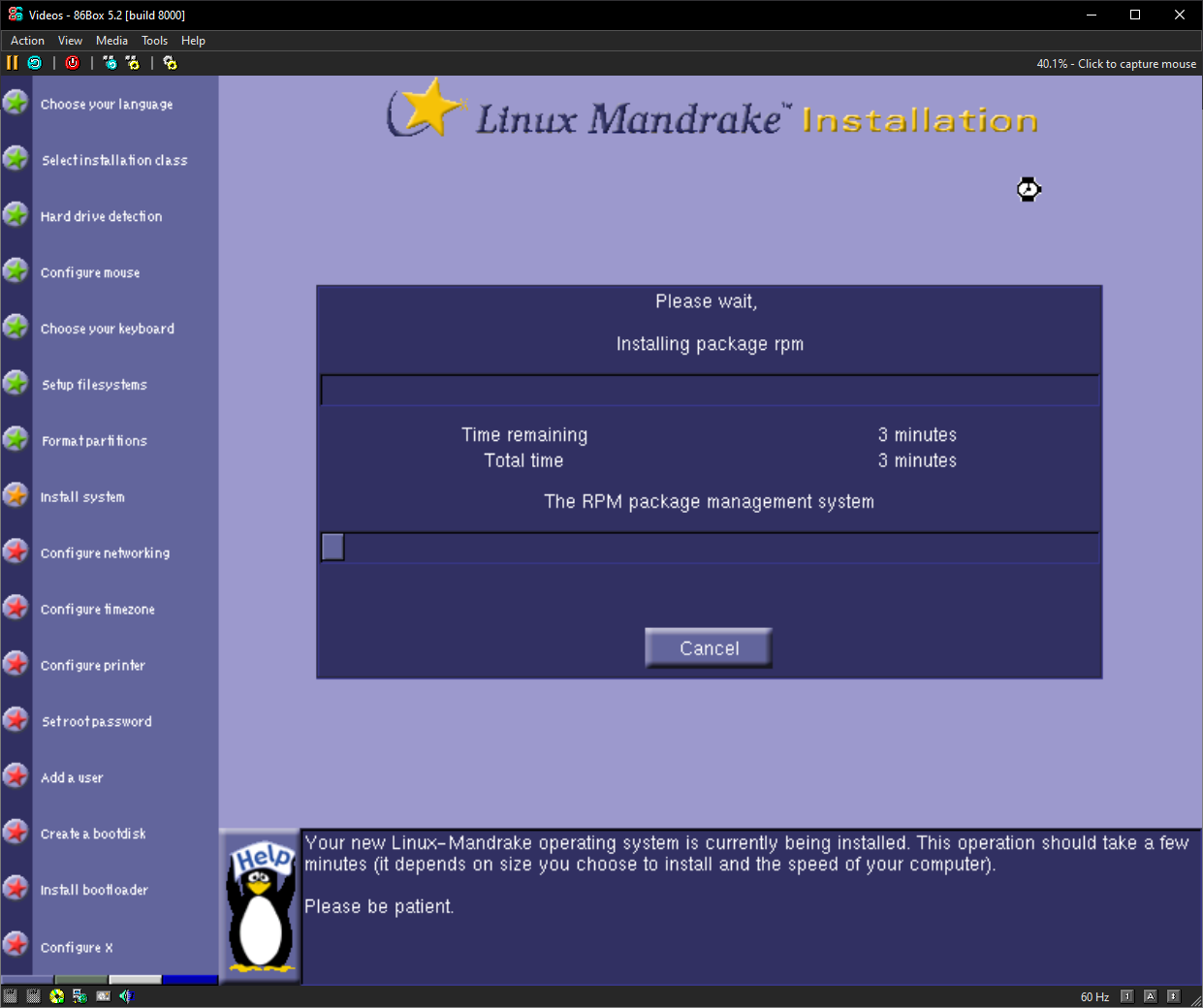
🙃 Installing Mandrake 10.1 lol
#Linux #MandrakeLinux #Mandriva #LinuxHistory #RetroLinux #OldSchoolLinux
🙃 Installing Mandrake 10.1 lol
#Linux #MandrakeLinux #Mandriva #LinuxHistory #RetroLinux #OldSchoolLinux

Found an old stack of #LinuxJournal issues, ca 1997-1999.
Jayyyssus, I had forgotten that there were so so SO many obscure companies that were offering commercial Linux software and services in the late 1990s! I don't get why people still think Linux is such a "new" thing and just "for enthusiasts" - it was clearly starting to become a very serious business OS back in those days.
Also the ads have *so* many companies selling ISP gear, holy crap.
🚀 Ah, the glory days of #VA #Linux, where selling dreams of penguins 🐧 on servers led to the dotcom era's biggest #IPO circus. A model so groundbreaking it's now a relic of tech fossils 🦖. Who knew Linux could cause such a stock market comedy show? 😂
https://dfarq.homeip.net/va-linux-the-biggest-dotcom-ipo/ #LinuxHistory #DotcomEra #TechFossils #StockMarketComedy #HackerNews #ngated
I am almost certain this isn't going to install lol
#Linux #RetroComputing #LinuxDistro #OpenSource #LinuxHistory #Tux #LinuxLife #Nostalgia #Unix #FOSS #TechThrowback

Well, here it is. Libranet GNU/Linux 2.7 Classic
#Linux #RetroComputing #LinuxDistro #OpenSource #LinuxHistory #Tux #LinuxLife #Nostalgia #Unix #FOSS #TechThrowback

Hmm... heard of this distro but never tried it before. Guess I will today if it works
#Linux #RetroComputing #LinuxDistro #OpenSource #LinuxHistory #Tux #LinuxLife #Nostalgia #Unix #FOSS #TechThrowback

Okay we're fine now. Take Caldera OpenLinux eDesktop 2.4
#Linux #RetroComputing #LinuxDistro #OpenSource #LinuxHistory #Tux #LinuxLife #Nostalgia #Unix #FOSS #TechThrowback

Oh Caldera...
#Linux #RetroComputing #LinuxDistro #OpenSource #LinuxHistory #Tux #LinuxLife #Nostalgia #Unix #FOSS #TechThrowback

People seemed to like my Mandrake 7.2 install so have 5.1 too. Glad it worked this time :blobsmile:
#MandrakeLinux #Linux #RetroComputing #LinuxDistro #OpenSource #LinuxHistory #Tux #LinuxLife #Nostalgia #Unix #FOSS #TechThrowback #Mandriva #Mandrake


Something has gone wrong heh. This was supposed to be Mandrake 5.1
#MandrakeLinux #Linux #RetroComputing #LinuxDistro #OpenSource #LinuxHistory #Tux #LinuxLife #Nostalgia #Unix #FOSS #TechThrowback #Mandriva #Mandrake

Ok we are actually all done-
#MandrakeLinux #Linux #RetroComputing #LinuxDistro #OpenSource #LinuxHistory #Tux #LinuxLife #Nostalgia #Unix #FOSS #TechThrowback #Mandriva #Mandrake

All done :blobsmile:
#MandrakeLinux #Linux #RetroComputing #LinuxDistro #OpenSource #LinuxHistory #Tux #LinuxLife #Nostalgia #Unix #FOSS #TechThrowback #Mandriva #Mandrake

Hmm pretty
#MandrakeLinux #Linux #RetroComputing #LinuxDistro #OpenSource #LinuxHistory #Tux #LinuxLife #Nostalgia #Unix #FOSS #TechThrowback #Mandriva #Mandrake

Hi Mandrake Linux... or Linux Mandrake?
#MandrakeLinux #Linux #RetroComputing #LinuxDistro #OpenSource #LinuxHistory #Tux #LinuxLife #Nostalgia #Unix #FOSS #TechThrowback #Mandriva #Mandrake

First published in 2000, Linux Format quickly became the magazine many turned to for Linux tutorials, distro reviews, and open source news. For two and a half decades it offered practical guides, experiments with Raspberry Pi, sysadmin tips, and deep dives into tools that shaped the Linux world.
With its final issue in mid 2025, Linux Format leaves behind a legacy of helping countless readers discover, learn, and grow within the community. While its printing has ended, the spirit of sharing knowledge that defined the magazine lives on in the people it inspired.
Thought this looked interesting.
20 years of Linux on the Desktop (part 1)
https://ploum.net/2024-10-20-20years-linux-desktop-part1.html
Red Hat Linux in 1998 (2009)
https://linuxgazette.net/165/laycock.html
#HackerNews #RedHatLinux #1998 #LinuxHistory #OpenSource #Community #TechEvolution
🌐 From NetWare & NT 3.51 to Linux in ‘96—read a 30-year technologist's retrospective on Linux's evolution from a licensing workaround to the world's backbone OS.
📖 A deep dive into its early struggles, hard-won victories, and what comes next.
🔗 https://linuxexpert.org/from-licenses-to-liberation/
#Linux #OpenSource #SysAdmin #DevOps #FOSS #Debian #LinuxHistory #ServerLife
Before full virtual desktops and containerized GUI environments, there was Xnest. It let you run an entire nested X session inside your existing one, effectively a desktop within a desktop. Developers could test window managers, experiment with X resources, or isolate misbehaving apps without ever logging out. It was lightweight, fast, and didn't require any virtualization. For those working deep in X11 internals, it was like a GUI sandbox in a terminal world. Still available in many repos today, Xnest remains a brilliant but mostly forgotten tool in the Linux toolbox.
#X11Tricks #LinuxHistory #DeveloperTools #UnixNesting #OldSchoolLinux
Article from @lwn
"The first honest-to-goodness distribution with a proper installer was MCC Interim Linux, created by Owen Le Blanc, released publicly in early 1992. I recently reached out to Le Blanc to learn more about his work on the distribution, what he has been doing since, and his thoughts on Linux in 2025."