#CSSclipPath

Ana Tudor 🐯anatudor
2026-01-30

Simple pricing cards - a demo I made on @codepen: codepen.io/thebabydino/pen/ZYO

I've posted even cooler pure ones (non-rectangular shapes + rounded corners, glassmorphism + border effects combined) for Ko-fi & Patreon supporters:

❇️ ko-fi.com/anatudor/tiers

❇️ patreon.com/c/anatudor/members

Screenshot, showing three pricing cards, each with its own palette.
Ana Tudor 🐯anatudor
2026-01-22

Clip element on - a little pure demo I made on @codepen codepen.io/thebabydino/pen/vEG

Just scroll-driven animation magic πŸͺ„βœ¨ - no other tricks.

Ana Tudor 🐯anatudor
2026-01-14

A little thing: candy 🍬 ghost πŸ‘» buttons, 3 techniques in one @codepen demo
codepen.io/thebabydino/pen/Exv

Detailed explanation of the how behind in this @csstricks post css-tricks.com/css-ing-candy-g

Bonus: a hover animated, Chrome-only version codepen.io/thebabydino/pen/Vwz

Bright candy gradient ghost buttons.Same buttons in various stages of hover, when the filling content-box get XOR-ed with the text.
Ana Tudor 🐯anatudor
2025-12-17

Here's a little pure demo I made on @codepen a while back: clip element on codepen.io/thebabydino/pen/vEG

(using scroll-driven animations, so support may still be spotty)

Ana Tudor 🐯anatudor
2025-10-09

Because someone just hearted this demo I made over half a decade ago on @codepen:

codepen.io/thebabydino/pen/bGE

It's a pure Platonic solids gallery. They animate on hover/ tap. All is computed, there are no magic numbers.

Ana Tudor 🐯anatudor
2025-10-09

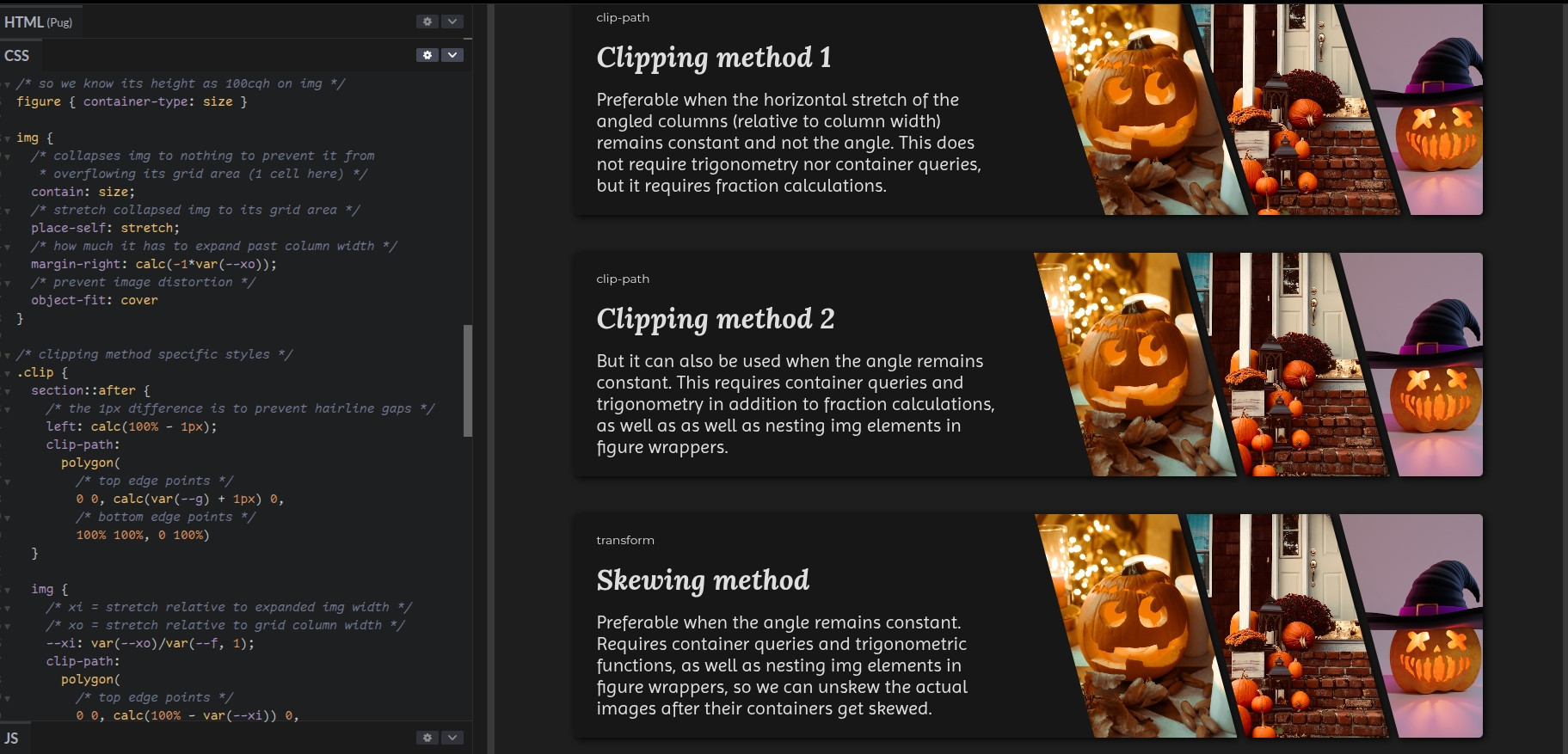
BTW, the CSS is heavily commented. And I've changed the images to something a bit more fitting for this time of year.

codepen.io/thebabydino/details

And now you can tell what gave me the idea for yesterday's challenge mastodon.social/@anatudor/1153

Screenshot from my CodePen demo showing the heavily commented CSS and the visual result using Halloween-related images.
Ana Tudor 🐯anatudor
2025-10-08

Because this got asked on reddit reddit.com/r/css/comments/1o06

Made a demo with various options for angled grid columns. Uses mathematical computations to ensure all fits just right all the time, regardless of viewport or number of columns.

On @codepen codepen.io/thebabydino/pen/Wbr

Enjoy!

Ana Tudor 🐯anatudor
2025-05-28

Pure chamfering sequence on @codepen: tetrahedron β†’ chamfered tetrahedron β†’ cube and back codepen.io/thebabydino/pen/MWV

Ana Tudor 🐯anatudor
2025-05-24

A little thing I made on @codepen.io: breathing with `shape()`
codepen.io/thebabydino/pen/vEE

`shape()` is supported in Chrome 135+ and Safari 18.4+.

Firefox 126+ supports it for simple shapes (but not for this demo) when setting thelayout.css.basic-shape-shape.enabled to true in about:config.

Ana Tudor 🐯anatudor
2025-05-02

Someone asked how to create such cross-browser wave dividers that keep the same height as the width changes, so here's my take on it reddit.com/r/css/comments/1kcm

Live on @codepen codepen.io/thebabydino/pen/Pww

`mask` is another option, but needs an extra container and container query units, so not as well supported, plus it wouldn't be exactly the same shape.

Ana Tudor 🐯anatudor
2025-04-10

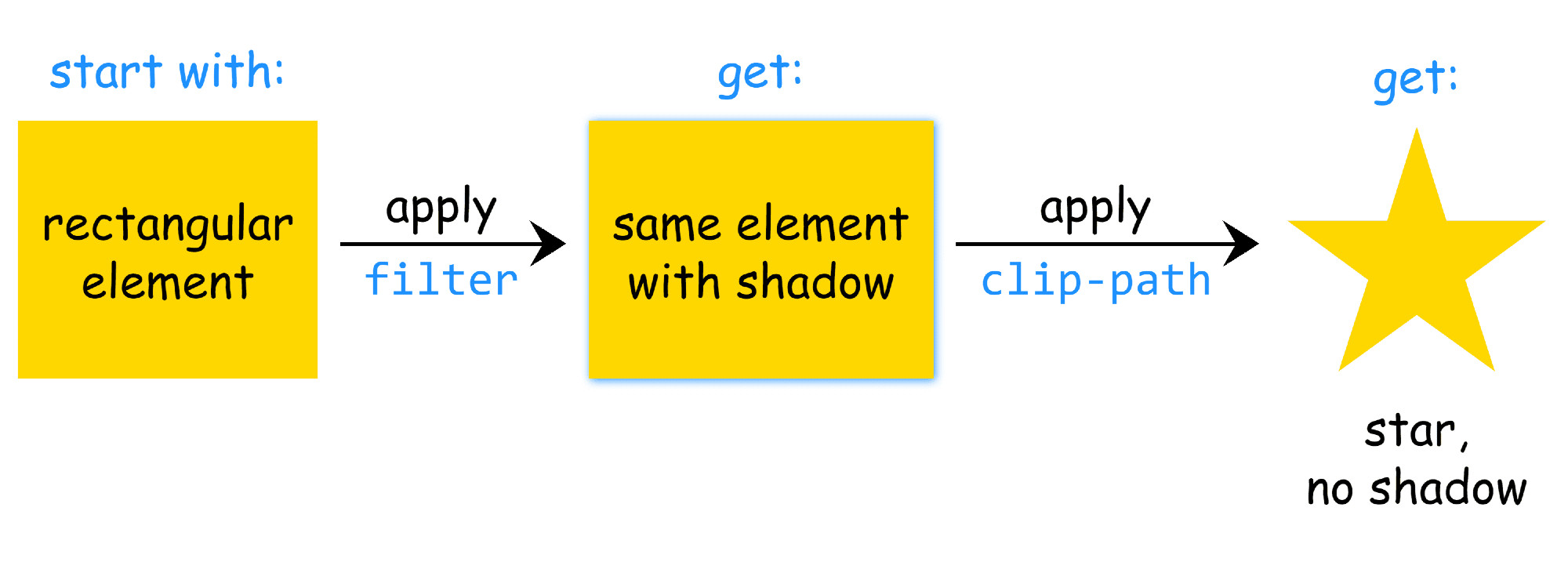
`clip-path` or `mask` are applied after `filter`.

This means we cannot clip/ mask, then add a `drop-shadow()` on the same element for the clipped/ masked shape.

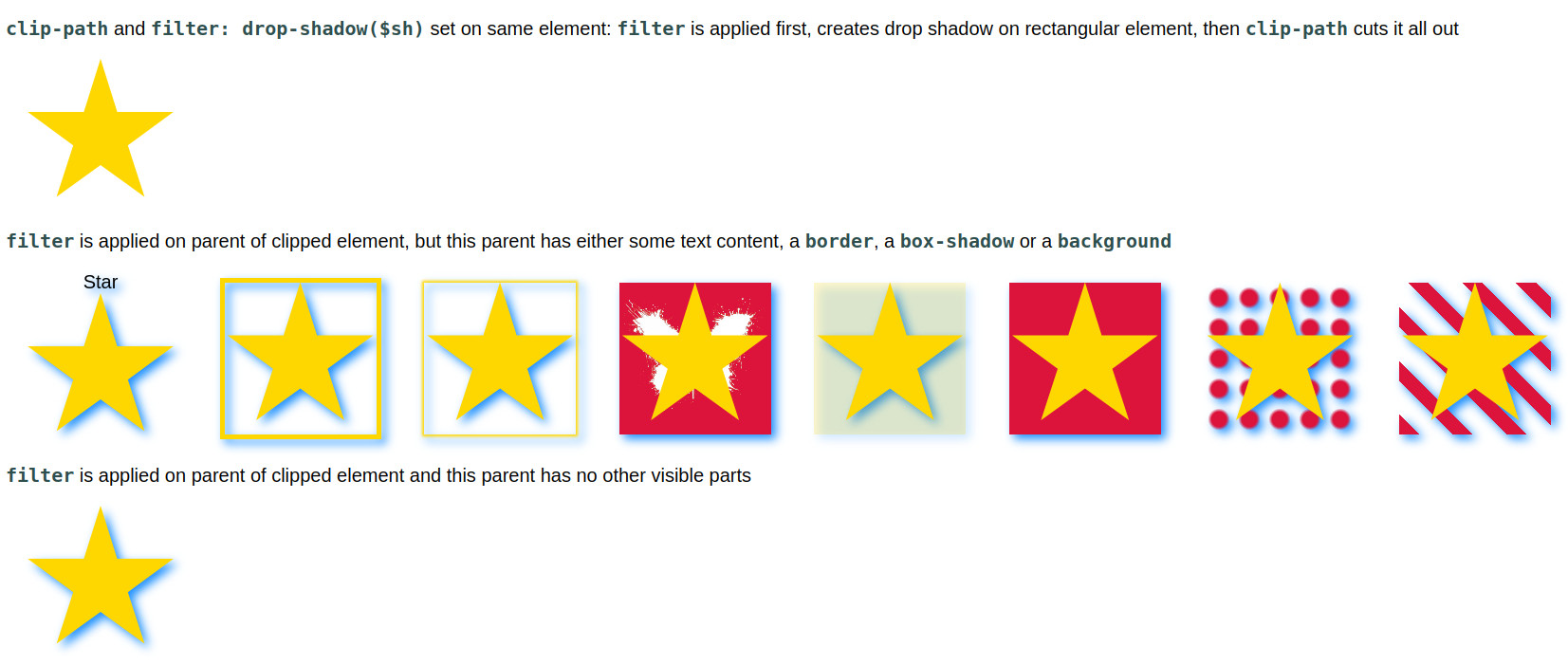
We need to apply the `filter` on a parent of the clipped/ masked (pseudo-)element.

codepen.io/thebabydino/pen/BRR

Diagram of how browsers apply filter and clip-path when they’re set on the same element. First the drop-shadow() filter is applied on the initial rectangular box, then the element with drop-shadow() is clipped, cutting out the drop-shadow() too.Screenshot of the linked demo showing how applying the filter on the parent of the clipped (pseudo-)element can solve the problem if this parent has no other visible parts (borders, backgrounds, shadows).
Ana Tudor 🐯anatudor
2025-04-09

Here's a quick breathing box demo with `clip-path: shape()` on @codepen.io: codepen.io/thebabydino/pen/ZYE

Working in Chrome 135 and Safari 18.4! πŸ₯³πŸŽ‰

Ana Tudor 🐯anatudor
2025-04-09

I haven't had the time to do anything for this week's yet, but here are some older card demos:

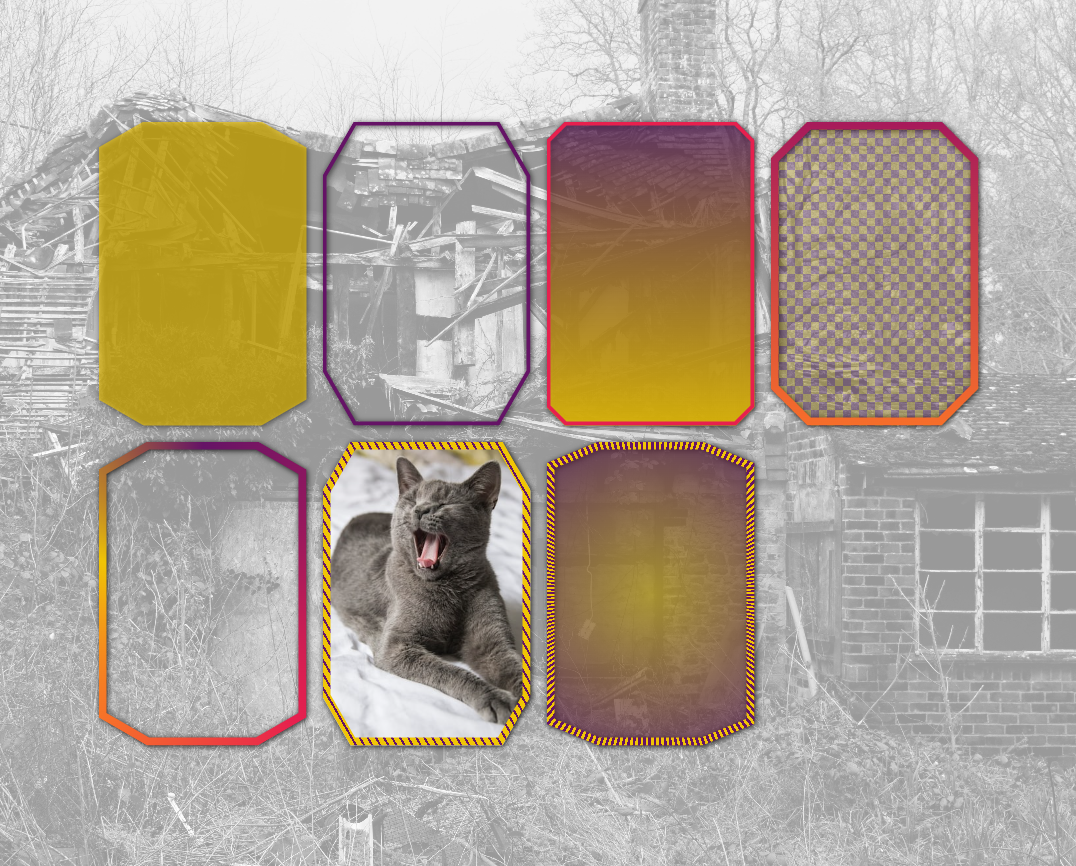
From 5+ years ago: pure 1 element bevel cards! No SVG or images save for the cat, real (semi)transparency inside borders and all.

See it on @codepen codepen.io/thebabydino/pen/ZEG

Screenshot of linked demo. Shows 7 beveled cards, some with borders (solid, gradient or patterned ones), some with (semi)transparent backgrounds, some with gradient backgrounds, one with an image background. They are all on top of an image backdrop.
Ana Tudor 🐯anatudor
2025-03-17

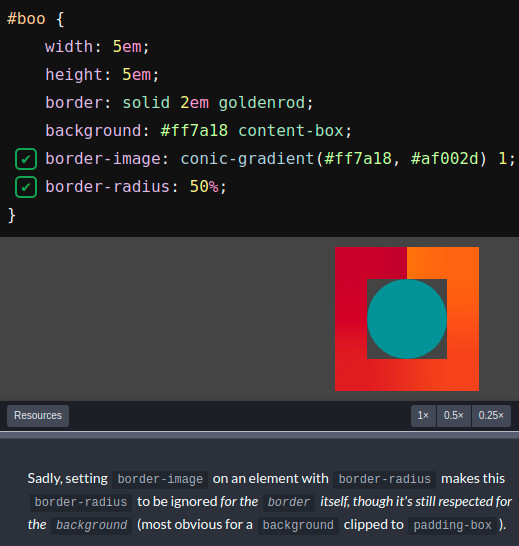
Know how border-image & border-radius don't play nice together?

(interactive codepen.io/thebabydino/pen/jxZ)

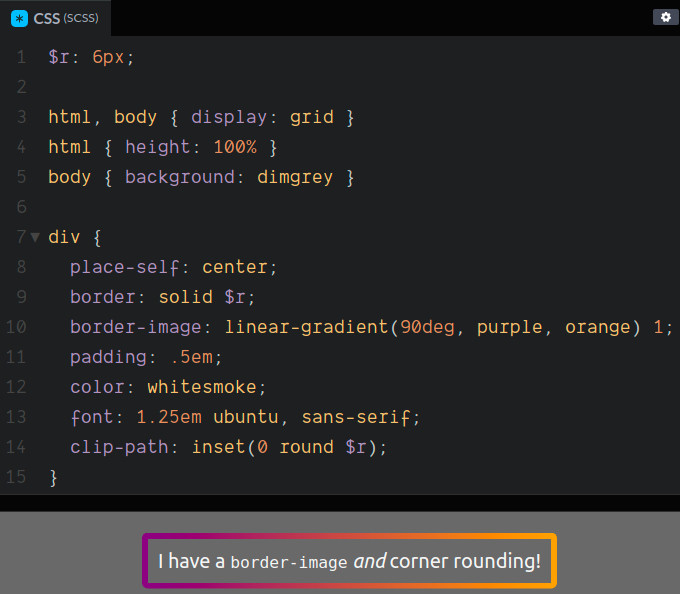
there's a workaround IF corner radius ≀ border-width: use inset() clip-path + a round value!

clip-path: inset(0 round $r)

@codepen demo: codepen.io/thebabydino/pen/qBE

(and yes, this is a tip I first shared on twitter over half a decade ago x.com/anatudor/status/12199161 )

Screenshot showing the interactive demo showing that setting a `border-image` on an element with `border-radius` makes the `border-radius` be ignored.Screenshot of the solution when the desired corner rounding is not bigger than the border-width:
```
border: solid $r;
border-image: linear-gradient(90deg, purple, orange) 1;
clip-path: inset(0 round $r)
```
Ana Tudor 🐯anatudor
2024-07-30

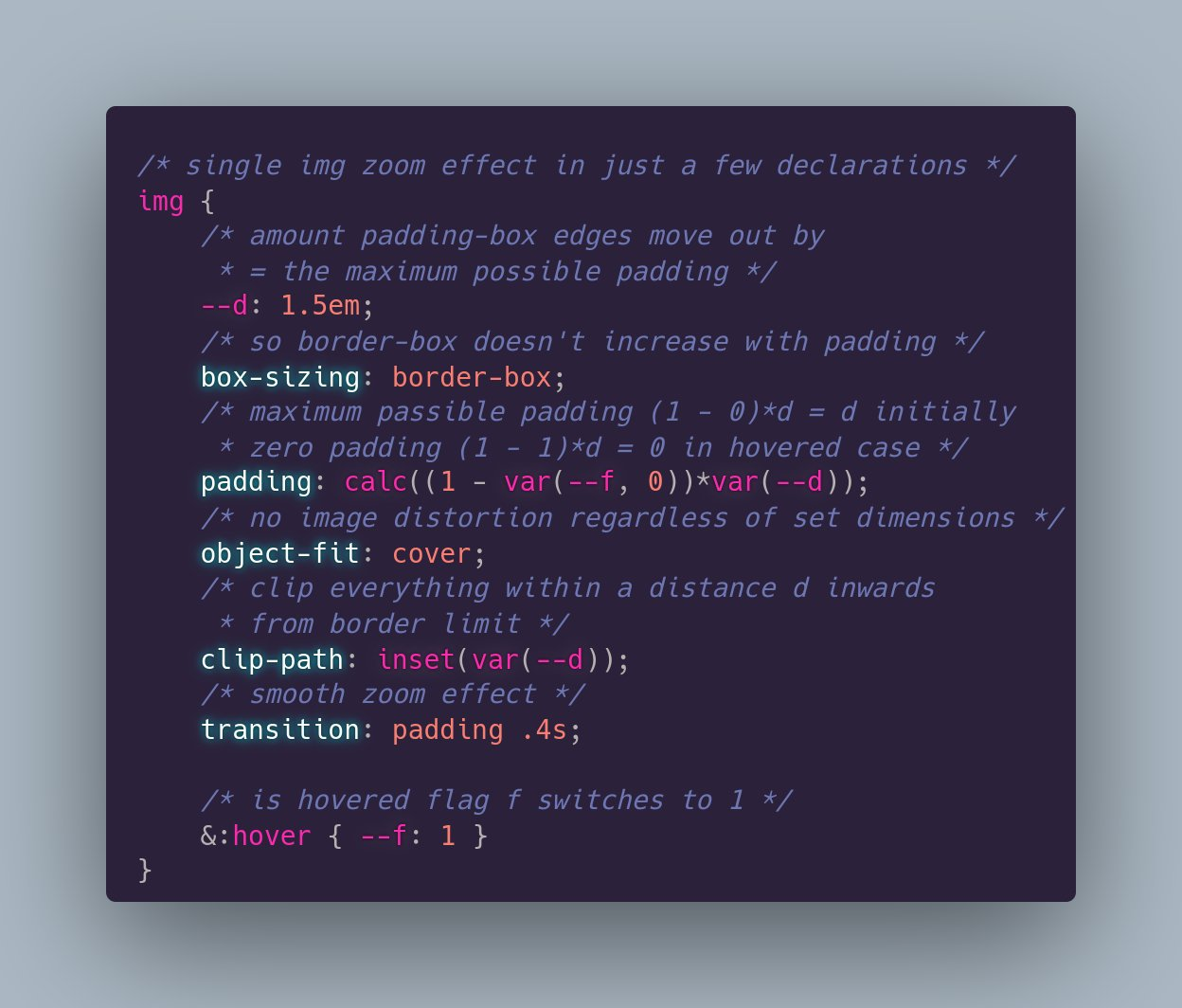
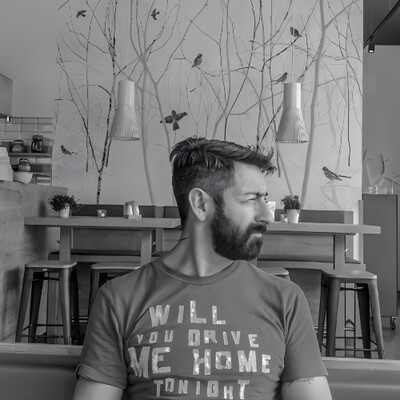
How do you get a zoom effect on an `img`? So that you still have the right click `img` menu and also don't need any extra element?

Here's how on @codepen: codepen.io/thebabydino/pen/BaG

Prompted by coming across a demo that gets the effect with a `div` wrapped in an `overflow: hidden` parent.

/* single img zoom effect in just a few declarations */
img {
	/* amount padding-box edges move out by
	 * = the maximum possible padding */
	--d: 1.5em;
	/* so border-box doesn't increase with padding */
	box-sizing: border-box;
	/* maximum passible padding (1 - 0)*d = d initially
	 * zero padding (1 - 1)*d = 0 in hovered case */
	padding: calc((1 - var(--f, 0))*var(--d));
	/* no image distortion regardless of set dimensions */
	object-fit: cover;
	/* clip everything within a distance d inwards 
	 * from border limit */
	clip-path: inset(var(--d));
	/* smooth zoom effect */
	transition: padding .4s;
  
	/* is hovered flag f switches to 1 */
	&:hover { --f: 1 }
}
pablolarahpablolarah
2022-11-30

⭕️ CSS Clothoid Corners
by Takehiko Ono @onopko
Generate clothoid rounded corners by CSS clip-path.

onotakehiko.dev/clothoid/

Red bordered white text on gray background:
CSS Clothoid Corners

Client Info

Server: https://mastodon.social
Version: 2025.07
Repository: https://github.com/cyevgeniy/lmst