#3DPrintingTechnology

2026-02-21

3D Printing Technologies for Industrial Designers: The Complete 2026 Comparison That Changes How You Prototype

This post contains affiliate links. We may earn a commission if you click on them and make a purchase. It’s at no extra cost to you and helps us run this site. Thanks for your support!

Most designers already know additive manufacturing matters. But knowing it matters and knowing which 3D printing technology to actually use — those are two very different things. The additive manufacturing landscape in 2026 spans at least eight distinct process families. Each one operates differently, costs differently, and produces radically different results.

You can’t optimize your workflow without understanding those differences. And you definitely can’t choose the right process for a functional prototype, a concept model, or an end-use metal component if you’re treating all 3D printing technologies as interchangeable. They’re not. Furthermore, the gap between the right choice and the wrong choice often translates directly into wasted budget and missed deadlines.

This guide breaks down every major technology category — FDM, SLA/DLP, CLIP/LSPc, PolyJet, SLS, MJF, DMLS/SLM, binder jetting, and EBM — with honest comparisons across accuracy, material performance, speed, and cost. Additionally, I’ll introduce a practical framework for matching technology to the project phase. That framework alone should change how you approach your next design sprint.

Which 3D Printing Technology Should Industrial Designers Actually Be Using Right Now?

That depends entirely on three variables: your development stage, your required material properties, and your production volume. However, most designers default to whatever printer sits in their studio — and that’s exactly the wrong approach.

Before anything else, you need to understand the Process-Material-Output Triangle. This is the core framework I use to evaluate additive choices. Every 3D printing technology sits at a specific position within three axes: the feedstock type (filament, resin, powder, wire), the energy source (laser, UV light, electron beam, binder chemistry), and the output fidelity (dimensional accuracy, surface finish, mechanical performance). Understanding where each process sits on that triangle determines everything else.

Let’s work through every major technology systematically.

FDM and FFF: The Workhorse You’re Probably Overusing

Fused Deposition Modeling — also called FFF — extrudes thermoplastic filament through a heated nozzle. Each molten bead fuses to the layer below. Consequently, it’s the most accessible and widely deployed desktop 3D printing method in design studios worldwide.

What FDM does well: It handles a remarkable range of thermoplastics. Desktop machines run PLA, ABS, PETG, ASA, flexible TPU, and standard Nylon. Industrial FDM systems extend that list to high-performance engineering polymers — PEEK, Ultem, PPS, and carbon-fiber composite filaments. Moreover, desktop FDM hardware costs anywhere from $200 to a few thousand dollars. Industrial units from Stratasys cost more, but they deliver tolerances around ±0.2 mm or better with engineering-grade materials.

Where FDM falls apart: Layer lines are visible. Z-axis strength is always weaker than XY-axis performance due to inherent anisotropy. Typical desktop tolerances run ±0.5–1.0 mm—additionally, warping and delamination plague high-temperature materials like ABS without an enclosed, heated build chamber.

When to Use FDM in Your Design Process

FDM excels during early concept modeling. Use it for quick form studies, fit-check prototypes, assembly mockups, and manufacturing jigs. However, don’t use it when surface quality matters for client presentations. And don’t rely on it when you need isotropic mechanical performance for genuine functional testing. In those cases, SLS or MJF will serve you far better.

Vat Photopolymerization: SLA, DLP, CLIP, and LSPc Compared

This category covers several technically distinct 3D printing technologies that all cure liquid photopolymer resin using light. Standard SLA traces each layer with a UV laser. DLP and LCD-based systems project entire layers at once. Carbon’s CLIP process maintains a continuous oxygen “dead zone” at the resin window, which enables truly continuous printing with no discrete layer demarcation. Nexa3D’s LSPc projects full layers through a specialized lubricated film, which dramatically reduces peel forces and increases throughput.

Accuracy: This is where vat photopolymerization dominates. Layer heights reach as low as 25 µm. Feature accuracy runs ±0.05–0.1 mm on well-calibrated systems. Furthermore, post-cured SLA parts often require no additional finishing for presentation-quality surfaces. No other polymer 3D printing technology category consistently matches that resolution.

Speed: Here, the sub-technologies diverge sharply. Standard SLA is slow — it scans layer by layer with a laser point. DLP and LCD systems are faster because they cure entire layers simultaneously. CLIP and LSPc represent a different tier entirely: Carbon’s CLIP prints continuously at speeds 25 to 100 times faster than conventional SLA. Nexa3D claims LSPc achieves roughly six times the throughput of standard SLA systems.

Resin Materials: More Capable Than You Think

Resin variety has expanded significantly. You can now print rigid, tough, elastomeric, high-temperature, transparent, castable, and biocompatible formulations. Resin costs run $100–$300 per liter — noticeably higher than FDM filament. However, engineering resin performance increasingly rivals injection-molded thermoplastics in targeted applications.

Critical weakness to understand: UV-cured parts degrade under prolonged sunlight exposure. They also tend toward brittleness in rigid formulations, and they can shrink slightly during cure. Support removal and post-cure washing add labor. These are non-negotiable realities, regardless of which vat-based 3D printing technology you choose.

When to Use SLA vs. CLIP vs. LSPc

Use desktop SLA for high-detail concept models, casting patterns, dental models, and form study mockups. Use CLIP or DLS when you need faster iteration cycles with resin-quality surface finish, or when you’re producing small batches of elastomeric production parts. LSPc targets industrial prototyping and short-run production where speed matters as much as surface quality.

Material Jetting (PolyJet): The Multi-Material Specialist

PolyJet systems spray microdroplets of UV-curable photopolymer from inkjet-style print heads. Each layer cures instantly. Critically, multiple print heads can deposit different materials simultaneously — enabling rigid-to-flexible gradients, full CMYK color integration, and transparent material sections all within a single print.

Resolution: PolyJet achieves some of the finest tolerances among all polymer 3D printing technologies. Droplet sizes reach 30–50 µm. Layer thicknesses as fine as 14 µm produce near-glass surfaces straight off the machine. Accuracy runs ±0.05–0.2 mm.

The honest limitation: PolyJet resins are photopolymer thermosets. They look exceptional but lack structural performance. Mechanical strength and heat resistance fall below those of comparable thermoplastics. Therefore, PolyJet parts function best as visual and ergonomic prototypes rather than load-bearing functional components.

Cost reality: Machines run $100,000–$300,000. Material costs reach $200–400 per kilogram. This technology belongs in dedicated prototyping studios or service bureaus rather than most individual design practices.

When PolyJet Earns Its Price Tag

Use PolyJet when a client-facing mockup needs to look and feel finished. A consumer electronics prototype with a transparent display window, soft-touch grip areas, and a rigid structural frame — all printed in one job — represents exactly the use case where PolyJet’s multi-material capability creates genuine value. No other 3D printing technology delivers that combination with comparable surface quality.

Powder Bed Fusion for Polymers: SLS vs. MJF

Both Selective Laser Sintering and HP’s Multi Jet Fusion process polymer powder — primarily Nylon — layer by layer without support structures. Surrounding unfused powder supports the geometry during the build, which enables complex internal channels, nested assemblies, and undercuts that most other 3D printing technologies can’t produce without supports.

SLS: The Established Standard

SLS sinters polymer powder with a high-power laser. The resulting parts are tough, chemically resistant, and mechanically isotropic — behavior similar to injection-molded Nylon. Tolerances run ±0.1–0.3 mm. Surface texture is granular and matte; post-processing (sandblasting, vapor smoothing, dyeing) transforms the finish.

Material options are broader than MJF: PA12, PA11, glass-filled Nylons, carbon-fiber composites, and TPU. Machine costs start around $50,000. This range makes SLS a go-to for functional prototyping and low-volume production of parts that must survive real-world mechanical stress.

MJF: Faster, Cheaper at Volume

HP’s MJF deposits fusing and detailing agents across a full powder layer, then activates fusion with an infrared lamp — replacing the laser scanning step entirely. Consequently, MJF builds entire layers simultaneously rather than scanning point by point. This architecture makes MJF 15–30% cheaper than SLS at comparable volumes, according to HP’s own production data.

MJF advantages over SLS: Slightly better part isotropy, faster turnaround, lower per-part cost at medium to high volumes, and excellent detail for functional prototypes. MJF limitations: Narrower material library (primarily HP’s PA12 and TPU grades), gray default finish requiring dyeing, and machine costs well above desktop alternatives.

The SLS vs. MJF Decision Framework

Choose MJF when you need fast turnaround on functional Nylon parts in medium-to-high quantities. Choose SLS when you need carbon-fiber-filled Nylons, TPU composites, or materials outside HP’s portfolio. Both 3D printing technologies produce genuinely production-worthy end-use parts — a capability that FDM and resin processes rarely match at scale.

Metal Powder Bed Fusion: DMLS and SLM for Industrial Designers

DMLS (Direct Metal Laser Sintering, developed by EOS) and SLM (Selective Laser Melting) use high-power fiber lasers to fully melt metal powder layer by layer inside an inert gas chamber. In practice, the two terms describe functionally equivalent processes from competing vendors.

Materials: Stainless steels, titanium alloys (Ti6Al4V), aluminum, Inconel, cobalt-chrome, tool steels, copper, and precious metals. Powder costs run $100–$300 per kilogram, depending on alloy.

Output quality: Parts achieve near-theoretical density (above 99.5%), delivering mechanical strength comparable to wrought metal in most alloys. Layer thicknesses reach 20–50 µm. Accuracy runs ±0.1–0.2 mm. However, surface roughness (Ra 5–20 µm) typically requires post-machining for functional interfaces.

Honest cost assessment: Machines cost $250,000 to over $1,000,000. Builds are slow and energy-intensive. Support structures are mandatory to manage thermal stress and must be removed after printing. Post-processing — stress relief, HIP (hot isostatic pressing), and machining — adds significant time and cost. Most design studios outsource metal PBF rather than owning machines.

Where Metal PBF Creates Real Design Value

Metal DMLS and SLM enable geometries that casting and CNC machining simply cannot produce: internal conformal cooling channels, topology-optimized lattice structures, and complex manifolds with integrated features. These capabilities justify the cost for aerospace brackets, medical implants, tooling inserts, and custom structural components in low volumes. If your design exploits metal PBF’s geometric freedom, the economics can work. If your design is a standard bracket, you could machine conventionally; metal PBF rarely wins on cost.

Binder Jetting for Metal: The High-Volume Contender

Binder jetting spreads metal powder and uses inkjet print heads to deposit a liquid binder — essentially “printing” the cross-section in glue rather than energy. The resulting green part is fragile. After depowdering, sintering in a furnace fuses the metal particles, producing a dense final component.

Speed advantage: Binder jetting prints at speeds exceeding ten times that of metal laser PBF. Furthermore, no support structures are needed because unfused powder supports the geometry. These two factors combine to make binder jetting’s economics dramatically better than DMLS at medium to high production volumes.

Critical limitation: Sintering causes approximately 15–20% uniform shrinkage. Designers must compensate in the CAD model. Final tolerances land around ±0.3–0.5 mm — less precise than DMLS. Also, as-sintered density reaches only 92–97% without HIP post-processing, which affects ultimate mechanical performance.

When to choose binder jetting over DMLS: When you need metal parts in meaningful volume, can tolerate slightly lower precision, and want to dramatically reduce per-part cost. Desktop Metal and HP MetalJet have positioned this technology specifically for automotive components, consumer product hardware, and industrial tooling at production scale.

Electron Beam Melting: The Titanium Specialist

EBM, developed by GE Additive (Arcam), melts metal powder using an electron beam in a vacuum chamber. The build plate preheats to 600–1000°C before and during printing, which fundamentally changes the residual stress profile compared to laser PBF.

Why the vacuum and preheat matter: Hot builds mean minimal residual stress. Additionally, reactive alloys like titanium and cobalt-chrome, which oxidize at high temperatures, can be processed safely in a vacuum. EBM parts achieve near-100% density by default, without the HIP post-processing that laser PBF often requires.

Trade-offs: Resolution is coarser than DMLS — typical layer thicknesses run 50–200 µm. Accuracy runs ±0.2–0.5 mm. Surfaces are rough and almost always require machining. The machine cost is very high. Furthermore, only conductive metals work in EBM — no polymers or ceramics.

The specific use case: Use EBM for large, thick-section titanium or cobalt-chrome parts where laser PBF induces too much thermal stress or cracking. Aerospace turbine components, structural airframe brackets, and orthopaedic implants represent the technology’s core application territory.

The Development Stage Matrix: Matching 3D Printing Technologies to Workflow Phase

Here’s a framework industrial designers can apply directly to project planning. Match technology to the development phase, not the other way around.

Phase 1 — Concept Exploration: FDM for rapid iteration, low cost, basic form studies. PolyJet is used when multi-material aesthetics or client presentation matter. SLA when fine surface detail is needed at concept scale.

Phase 2 — Functional Prototyping: SLS or MJF for durable plastic components under mechanical load. DMLS for metal functional prototypes requiring real material performance. Tough resins (SLA/CLIP) for load-tested plastic parts with tight tolerances.

Phase 3 — Pre-Production Validation: MJF or SLS for end-use plastic parts in small batches. Metal binder jetting for cost-effective metal hardware. Hybrid machining (DMLS plus CNC) for precision-critical metal components.

Phase 4 — End-Use Production: MJF and SLS for final nylon components. Carbon CLIP/DLS for elastomeric or engineered-resin production parts. DMLS for certified aerospace and medical components. Binder jetting for volume metal production, where tolerances allow.

Emerging Trends Reshaping 3D Printing Technologies in 2026

AI-Driven Print Preparation

Artificial intelligence now integrates directly into AM workflows. Generative design tools automatically optimize geometry for specific 3D printing technologies, reducing material use by up to 40% in documented cases. Additionally, AI-powered slicers auto-configure print parameters based on part geometry. Real-time monitoring algorithms detect print defects via in-process imaging and adjust settings without stopping the build. The practical result: less trial-and-error, better first-time-right rates, and faster iteration cycles.

Hybrid Additive-Subtractive Manufacturing

Hybrid machines that combine metal deposition with five-axis CNC machining are gaining serious traction in 2026. Systems from DMG Mori and Phillips integrate laser metal deposition with a milling center — meaning a part can be 3D printed and immediately machined to tolerance without leaving the machine. This hybrid strategy removes the biggest obstacle to metal AM adoption: post-processing complexity.

Multi-Material and High-Speed Printing

Multi-material FDM systems with multiple independent extruders now enable rigid-to-flexible gradient parts at the desktop scale. Simultaneously, high-speed polymer 3D printing technologies like CLIP and LSPc are pushing additive manufacturing into genuine short-run production territory. Some polymer printers achieve 600 mm/s travel speeds. The line between prototyping and digital manufacturing is blurring rapidly.

Cloud-Connected Design-to-Print Platforms

Cloud services now connect CAD files to print farms, service bureaus, and remote monitoring in one workflow. Designers upload a model, receive automated orientation suggestions and cost estimates, and track builds remotely. This infrastructure treats 3D printing technologies as a utility rather than specialized equipment — a fundamental shift in how design teams integrate additive into their process.

Continuous Fiber Composites

Systems from Markforged and Anisoprint embed continuous carbon fiber or fiberglass into FDM-style extrusion, producing parts with near-metal strength-to-weight ratios in polymer matrices. By 2026, these composite 3D printing technologies have matured enough to replace machined aluminum in many fixture, bracket, and tooling applications.

My Personal Take: The Technology Stack Every Design Studio Needs

No single 3D printing technology covers every project phase adequately. The most effective studios I’ve observed operate a deliberate technology stack — typically a reliable FDM machine for daily concept work, access to an SLA or resin DLP printer for detailed models, and relationships with SLS or MJF service bureaus for functional prototypes.

Metal AM remains largely a service bureau proposition for most design practices. The capital cost is too high for occasional use. However, understanding which metal process to specify — and why DMLS differs from binder jetting in context — is increasingly essential design knowledge, even if you never own a metal printer.

The designers who produce the best outcomes in 2026 aren’t the ones with the most equipment. They’re the ones who understand the decision logic behind each technology and apply it deliberately at every project phase. That is a skill worth developing.

FAQ: 3D Printing Technologies for Industrial Designers

Q: What is the most accurate 3D printing technology for industrial design prototypes? PolyJet and SLA/DLP systems consistently deliver the finest resolution, with feature accuracy around ±0.05–0.1 mm and layer thicknesses as low as 14–25 µm. For polymer prototyping, where surface quality and dimensional precision are the primary requirements, these two technology families lead the field.

Q: Which 3D printing technology is best for functional prototypes that need to survive mechanical testing? SLS and MJF produce isotropic Nylon parts with mechanical properties close to injection-molded performance. For metal functional prototypes, DMLS or SLM delivers near-wrought material properties. The choice depends on whether your part needs plastic or metal material performance.

Q: How do SLS and MJF compare for industrial design applications? Both produce strong, functional Nylon parts without support structures. MJF offers faster build cycles and lower per-part cost at volume, with slightly better isotropy. SLS supports a wider material portfolio, including carbon-fiber composites and TPU. Choose MJF for speed and volume; choose SLS for material flexibility.

Q: When should a designer choose binder jetting over DMLS for metal parts? Binder jetting becomes more cost-effective than DMLS when production volume increases, because its print speed is ten times faster, and support structures are unnecessary. However, binder jetting delivers lower dimensional accuracy (±0.3–0.5 mm vs. ±0.1–0.2 mm) and may require HIP post-processing for full density. Choose DMLS for precision and complex geometry; choose binder jetting for volume and cost efficiency.

Q: What is CLIP, and how does it differ from standard SLA? CLIP (Continuous Liquid Interface Production), developed by Carbon, maintains an oxygen-inhibited “dead zone” at the resin window that prevents full polymerization at the contact surface. This enables continuous, uninterrupted printing rather than discrete layer-by-layer cycles. CLIP prints at speeds 25–100 times faster than conventional SLA while delivering comparable accuracy and isotropic mechanical properties. It targets production-scale applications rather than pure prototyping.

Q: What 3D printing technologies are best for end-use production parts? For plastics, SLS and MJF lead for end-use Nylon components in low-to-medium volumes. Carbon CLIP/DLS handles elastomeric and engineered-resin production parts. For metals, DMLS produces certified aerospace and medical components. Binder jetting targets higher-volume metal production runs where tolerances allow post-sinter finishing.

Q: How is AI changing 3D printing technologies in 2026? AI now integrates into generative design tools, automated print parameter optimization, and real-time defect detection during builds. Generative design can reduce material consumption by up to 40% in documented applications. Cloud-connected AI platforms also automate slicing, orientation selection, and cost estimation — substantially reducing the expertise barrier for new users of advanced 3D printing technologies.

Q: What is the difference between DMLS and EBM for metal printing? Both fuse metal powder layer by layer, but DMLS uses a fiber laser in an inert gas chamber while EBM uses an electron beam in a vacuum. EBM builds at elevated temperatures (600–1000°C preheat), minimizing residual stress and enabling reactive alloys like titanium without oxidation risk. However, DMLS delivers better dimensional accuracy (±0.1–0.2 mm vs. ±0.2–0.5 mm) and finer surface finish. Choose EBM for large titanium or cobalt-chrome parts prone to cracking under laser processing; choose DMLS for precision metal components across a broader alloy range.

Q: Can 3D printing technologies replace injection molding for consumer products? For low-to-medium volumes and complex geometries, SLS, MJF, and CLIP increasingly compete with injection molding economically. At high volumes, injection molding remains more cost-effective per part. However, additive manufacturing eliminates tooling costs entirely, making it the preferred choice for customized parts, short production runs, and geometries that injection molding cannot produce.

Q: What long-tail considerations should designers know about material jetting (PolyJet)? PolyJet’s multi-material capability — printing rigid, flexible, transparent, and colored resins simultaneously — creates unique value for presentation prototypes and ergonomic models. However, the mechanical weakness of photopolymer thermosets limits structural applications. Post-processing requires support material removal. Machine and material costs are among the highest in polymer 3D printing technologies. The business case for PolyJet in-house only justifies at high prototype volume with multi-material requirements.

Hungry for more? If so, feel free to browse WE AND THE COLOR’s Product Design and Technology categories to learn more.

#3DPrinter #3DPrinters #3dPrinting #3DPrintingTechnologies #3DPrintingTechnology
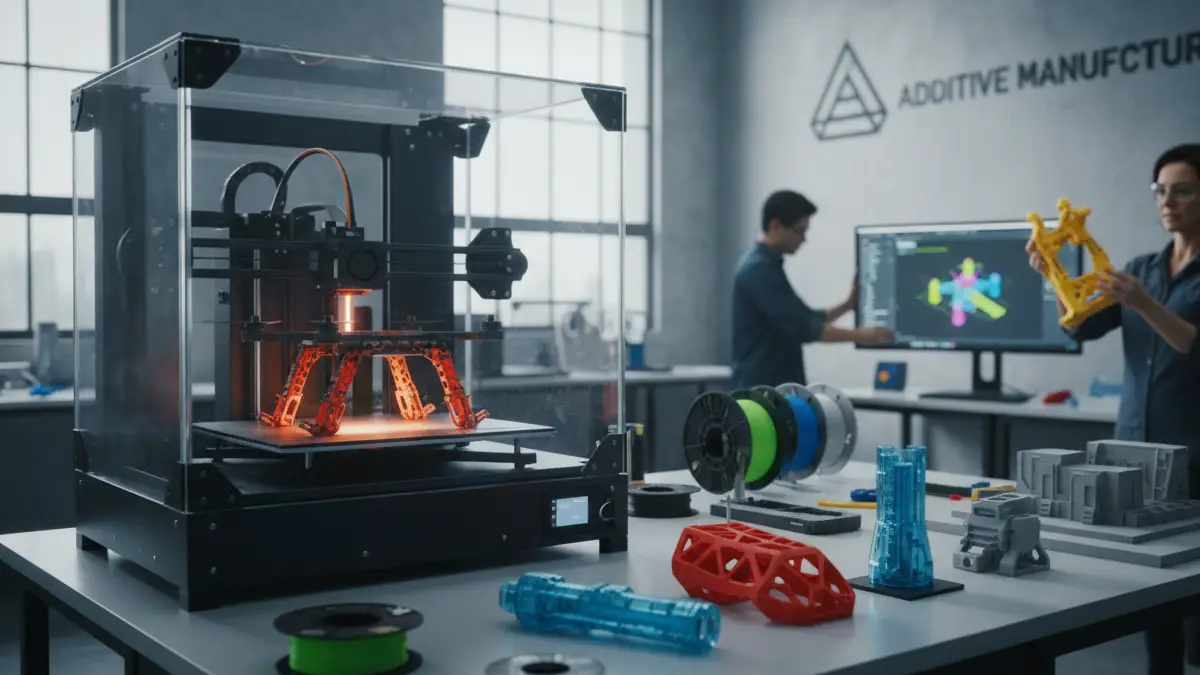

3D Printing Technologies for Industrial Designers in 2026

The Environmental Impact of 3D Printing: Can It Be Sustainable in the Future?

1,661 words, 9 minutes read time.

In recent years, 3D printing has captured the imagination of industries, innovators, and creators alike. Its potential to revolutionize manufacturing, medicine, architecture, and even art has made it a fascinating technological breakthrough. But as we dive deeper into this world of innovation, it’s crucial to assess the environmental impact of 3D printing. Is this cutting-edge technology sustainable, or does it come with hidden ecological costs? In this article, we will explore both the positive and negative environmental aspects of 3D printing, with a focus on its material usage, energy consumption, emissions, and future sustainability.

The rise of 3D printing has been nothing short of remarkable. The process, known as additive manufacturing, involves creating objects layer by layer, based on a digital model. Unlike traditional manufacturing, which often involves subtracting material from a larger block, 3D printing uses only the necessary amount of material, which suggests that it could reduce waste. However, a closer inspection of the environmental impact reveals complexities that go beyond the apparent efficiency of the process.

Material Usage and Waste: The Hidden Costs of 3D Printing

One of the key environmental advantages of 3D printing is its ability to reduce material waste. Traditional manufacturing methods like injection molding or CNC machining often result in significant amounts of discarded material. Since 3D printing only uses the material required to create a part or product, there is the potential for a reduction in waste. However, this doesn’t necessarily mean that 3D printing is entirely free from waste concerns.

The materials commonly used in 3D printing, particularly plastics such as PLA, ABS, and PETG, pose environmental challenges. Most of these materials are derived from petroleum, a non-renewable resource. While PLA (Polylactic Acid) is often touted as an eco-friendly alternative because it is derived from renewable plant resources like corn starch, it is still a plastic that does not break down easily in natural environments. The reality is that many 3D printers use plastics that are non-biodegradable and can contribute to long-term waste issues if not recycled properly.

Moreover, the nature of 3D printing can lead to material inefficiency in certain cases. Support structures, which are used to stabilize objects during printing, are often discarded after the print job is completed. These supports can account for a significant portion of the material used, and while they can be minimized with more advanced printing techniques, they still contribute to waste. Additionally, when a print fails, the material used is often wasted as the object is discarded, leading to further inefficiencies.

Energy Consumption: Is 3D Printing as Energy-Efficient as It Seems?

Another concern regarding the sustainability of 3D printing is the energy consumption associated with the process. While it’s true that 3D printing has the potential to be more energy-efficient than traditional manufacturing, this is not always the case. The energy required for the process depends on various factors, such as the type of 3D printer used, the material being printed, and the complexity of the object being created.

For example, industrial 3D printers, especially those used for metal printing or large-scale manufacturing, can consume significant amounts of energy. A study conducted by researchers at the University of Cambridge found that 3D printing can use more energy than traditional manufacturing in certain cases, particularly when printers are left running for long hours or when complex objects require prolonged processing times. This suggests that while the additive nature of 3D printing can reduce waste, it may not always be the most energy-efficient option, especially when considering the full lifecycle of the printing process.

However, it’s important to note that there are energy-efficient 3D printing technologies and practices emerging. New developments in energy-saving 3D printers, such as those that use less power or utilize alternative energy sources, are being introduced to reduce the environmental footprint. The shift towards solar-powered 3D printers, for example, offers promising potential for minimizing the energy burden of 3D printing.

Emissions and Pollution: Is 3D Printing Contributing to Air Pollution?

Another often-overlooked aspect of the environmental impact of 3D printing is the potential emissions that occur during the printing process. Certain materials, particularly plastics like ABS, release volatile organic compounds (VOCs) and ultrafine particles into the air when heated. These emissions can contribute to air pollution and pose health risks for those working in poorly ventilated spaces.

While the emissions from a typical 3D printer may not be as severe as those from industrial factories, they are still a concern in smaller or confined environments. Research has shown that the process of heating plastics to their melting point can release harmful chemicals into the air, including styrene, which is a potential carcinogen. This makes it essential for users of 3D printers, particularly in industrial settings, to ensure that proper ventilation systems are in place.

It’s worth noting, however, that there are emerging technologies aimed at reducing emissions. Filaments that are less prone to releasing VOCs are being developed, and air filtration systems for 3D printers are also becoming more common. As awareness of these environmental and health issues grows, it’s likely that the industry will continue to evolve toward cleaner, more sustainable solutions.

Environmental Benefits: A Glimmer of Hope

Despite the challenges, 3D printing does offer some undeniable environmental benefits. One of the most promising aspects of additive manufacturing is its ability to reduce material waste. Since 3D printers build objects layer by layer, only the precise amount of material needed for the object is used. This can lead to significant reductions in material waste compared to traditional manufacturing, which often requires cutting, molding, or casting materials from larger blocks.

In addition to reducing material waste, 3D printing allows for more efficient designs. The ability to create complex geometries and lightweight structures that are not possible with traditional manufacturing methods can reduce the overall amount of material needed. For example, in the aerospace industry, 3D printing is being used to create lighter parts, reducing the overall weight of aircraft and, consequently, improving fuel efficiency. The impact of such innovations could have significant environmental benefits, particularly in industries where weight and material usage are critical factors.

Furthermore, 3D printing can enable localized production, which helps reduce the carbon footprint associated with transportation. By producing goods closer to their point of consumption, companies can reduce the need for long-distance shipping and its associated environmental costs. This shift toward decentralized manufacturing is one of the ways in which 3D printing can contribute to a more sustainable future.

Case Studies and Real-World Applications: 3D Printing in Action

Several industries are already reaping the benefits of 3D printing while addressing environmental concerns. In the automotive sector, for instance, companies like Ford and BMW have adopted 3D printing for producing lightweight, energy-efficient car parts. This not only helps reduce material waste but also contributes to more fuel-efficient vehicles. By utilizing 3D printing to create parts that are optimized for strength and weight, manufacturers can significantly reduce the environmental impact of their products.

The construction industry has also explored 3D printing as a sustainable solution. Companies are using large-scale 3D printers to create buildings and homes using eco-friendly materials, such as recycled concrete or biodegradable plastics. 3D-printed homes are often faster to construct, more affordable, and have a smaller environmental footprint than traditional construction methods. For example, a 3D-printed house built by the startup ICON in Austin, Texas, was created using a specially designed concrete mix and completed in just 24 hours. These innovations highlight the potential for 3D printing to disrupt industries in ways that reduce environmental impact.

Looking Toward the Future: Advancements in Sustainability

While 3D printing may not be entirely sustainable yet, the future looks promising. Research into alternative, sustainable materials is already underway. Biodegradable filaments made from organic materials such as algae, hemp, and even food waste are being developed and tested. These innovations could help address the environmental challenges of plastic-based 3D printing, allowing for a future where the production of goods is both environmentally friendly and resource-efficient.

Additionally, the development of energy-efficient 3D printers is a key area of focus. By improving the energy efficiency of 3D printers, reducing energy consumption, and utilizing renewable energy sources like solar power, the environmental impact of 3D printing could be greatly minimized.

As 3D printing technology continues to evolve, it will likely become more sustainable. Increased recycling capabilities, better material science, and cleaner manufacturing practices all point toward a future where 3D printing can play a significant role in reducing waste, improving efficiency, and promoting sustainability.

Conclusion: Can 3D Printing Become Sustainable?

In conclusion, 3D printing presents both significant challenges and promising opportunities when it comes to environmental sustainability. While it does have a role in reducing material waste, creating efficient designs, and enabling localized production, it also faces hurdles related to energy consumption, emissions, and the environmental costs of materials.

However, the future of 3D printing looks bright. As innovations in materials, energy efficiency, and emissions reduction continue to emerge, 3D printing has the potential to become a cornerstone of sustainable manufacturing. By addressing these challenges head-on, we can unlock the full environmental benefits of 3D printing and ensure that it plays a positive role in the future of sustainable production.

D. Bryan King

Sources

Disclaimer:

The views and opinions expressed in this post are solely those of the author. The information provided is based on personal research, experience, and understanding of the subject matter at the time of writing. Readers should consult relevant experts or authorities for specific guidance related to their unique situations.

Related Posts

Rate this:

#3DPrintedHomes #3DPrintedProducts #3DPrinting #3DPrintingAndPollution #3DPrintingAndSustainability #3DPrintingApplications #3DPrintingBenefits #3DPrintingEfficiency #3DPrintingEmissions #3DPrintingEnergyEfficient #3DPrintingForTheEnvironment #3DPrintingInConstruction #3DPrintingInHealthcare #3DPrintingIndustries #3DPrintingIndustry #3DPrintingInnovations #3DPrintingMaterials #3DPrintingMaterialsResearch #3DPrintingPlasticWaste #3DPrintingRecycling #3DPrintingSolutions #3DPrintingTechnology #3DPrintingWaste #additiveManufacturing #alternative3DPrintingMaterials #biodegradableFilament #carbonFootprint #ecoConsciousManufacturing #ecoFriendly #ecoFriendly3DPrinter #ecoFriendlyInnovations #ecoFriendlyMaterials #emissions #energyConsumption #environmentalCostsOf3DPrinting #environmentalImpact #futureOf3DPrinting #greenManufacturing #greenTech #lowEnergy3DPrinting #recycling3DPrintingMaterials #reducing3DPrintingWaste #renewableEnergy #sustainability #sustainable3DPrinting #sustainableFuture #sustainableManufacturingPractices #sustainableManufacturingTechnologies #sustainableProduction

How 3D Printing is Revolutionizing Robotics: The Future is Already Here

947 words, 5 minutes read time.

https://open.spotify.com/show/6Dju7wlivFkqJvaKon5nDt

3D printing and robotics are two technologies that have reshaped industries and ignited the imagination of creators worldwide. When these two powerhouses come together, they create a synergy that allows for unparalleled innovation and creativity. Whether you’re an engineer looking to design a complex robot or a hobbyist building your first robotic arm, 3D printing has made robotics more accessible, cost-effective, and customizable. In this blog post, we’ll dive into how 3D printing is revolutionizing the field of robotics, explore some standout projects, and provide insights on how you can get started in this fascinating intersection of technology.

Understanding the Role of 3D Printing in Robotics

At its core, 3D printing is a manufacturing process that builds objects layer by layer from digital designs. It’s celebrated for its ability to create intricate shapes that traditional manufacturing struggles to replicate. Robotics, on the other hand, demands precision and complexity in its components. The synergy is clear: 3D printing provides robotics with the flexibility to prototype and build custom parts quickly and affordably.

One of the primary benefits of 3D printing in robotics is its ability to produce highly customized parts. Unlike mass-manufactured components, 3D-printed parts can be tailored to specific projects, allowing for intricate designs that perfectly fit a robot’s requirements. Additionally, 3D printing is a cost-effective solution for creating prototypes. Traditional manufacturing can be prohibitively expensive when it comes to iterative design, but 3D printing makes rapid prototyping not only possible but practical.

The application of 3D printing in robotics is growing rapidly. According to a report by Petoi, 3D printing is instrumental in open-source robotic projects, enabling enthusiasts to bring their designs to life without needing industrial-level resources. From creating prosthetics to developing drones, the versatility of 3D printing knows no bounds in the robotics domain.

Inspiring 3D-Printed Robotics Projects

The world of 3D-printed robotics is brimming with inspiring projects. The InMoov project is a prime example. This open-source initiative allows anyone with a 3D printer to build a humanoid robot. Designed by Gael Langevin, InMoov showcases the potential of 3D printing to democratize robotics. Hobbyists and educators worldwide have used this project to teach robotics, programming, and engineering concepts.

Another standout project is the DIY robotic dog. With tutorials available online, such as the 3D Printed Robot Dog DIY Tutorial on YouTube, even beginners can embark on building their robotic companions. These projects highlight how 3D printing enables creativity, empowering individuals to experiment with designs and learn through hands-on experience.

Advances in Swarm 3D Printing and Large-Scale Solutions

Innovations like swarm 3D printing are pushing the boundaries of what’s possible. Swarm 3D printing involves multiple robots working together to print a single object, as detailed on Wikipedia. This approach is not only faster but also allows for the creation of larger and more complex structures.

Additionally, large-scale 3D printing solutions have emerged, utilizing robotic arms to produce sizable components for industrial applications. The CEAD Group is a leader in this field, developing robotic systems capable of creating durable parts for industries like aerospace and construction. These advancements underline how 3D printing is no longer confined to small-scale projects but is making significant inroads into large-scale manufacturing.

How to Build Your Own 3D-Printed Robots

For those eager to get started with 3D-printed robotics, the good news is that the barrier to entry has never been lower. Tutorials like How to Build a 3D Printed Robot Arm provide step-by-step guidance for beginners. These resources often include free digital designs that can be downloaded and printed at home, making it easier than ever to dive into robotics.

When building your own robots, choosing the right 3D printer and materials is crucial. PLA and ABS are common materials for 3D-printed robotic parts, offering strength and durability. It’s also important to understand the limitations of your 3D printer and plan your design accordingly. While 3D printing is a powerful tool, complex assemblies may require multiple parts and careful post-processing.

Industrial Applications of 3D Printing in Robotics

Beyond DIY projects, 3D printing is transforming industries that rely on robotics. In healthcare, for example, 3D printing is used to create customized robotic surgical tools that improve precision and reduce patient recovery times. In manufacturing, robotic arms equipped with 3D printing capabilities are being deployed to build components directly on production lines. According to KUKA Robotics, integrating 3D printing with robotics is a game-changer, streamlining processes and reducing costs.

The Future of Robotics with 3D Printing

As materials and technology continue to evolve, the future of 3D printing in robotics looks brighter than ever. Emerging materials like carbon fiber-reinforced polymers are making 3D-printed parts stronger and lighter, opening up new possibilities for robotic applications. Additionally, the integration of artificial intelligence with 3D printing is enabling smarter and more autonomous robots.

However, challenges remain. Scalability and sustainability are ongoing concerns, as is the need for improved recycling of 3D-printed materials. Despite these hurdles, the opportunities far outweigh the challenges. As The Robot Report notes, 3D printing is poised to play a pivotal role in the next wave of robotics innovation.

Conclusion

3D printing and robotics are a match made in technological heaven. From enabling rapid prototyping to empowering individuals to build their own robots, the impact of 3D printing on robotics is profound and far-reaching. Whether you’re an industry professional or a curious hobbyist, there’s never been a better time to explore the potential of these technologies. So, fire up your 3D printer, download a design, and start building the future—one layer at a time.

For more ideas and inspiration, explore open-source communities and projects like InMoov or visit tutorials on platforms like YouTube. The only limit is your imagination.

D. Bryan King

Related Posts

Rate this:

#3DPrintingCostEffectiveness #3DPrintingEducation #3DPrintingEnthusiasts #3DPrintingForBeginners #3DPrintingForRobotics #3DPrintingInAerospace #3DPrintingInHealthcare #3DPrintingMaterials #3DPrintingProjects #3DPrintingSoftware #3DPrintingTechnology #3DPrintingTutorials #3DPrintedMachines #3DPrintedRobots #ABSForRobotics #accessibleRobotics #additiveManufacturing #advancedRobotics #advancedRoboticsTools #AIInRobotics #carbonFiber3DPrinting #customRobotParts #cuttingEdgeRobotics #DIY3DPrinting #DIYRobotics #educationalRobotics #futureOfRobotics #homeRoboticsProjects #humanoidRobots #industrial3DPrinting #industrialRobotics #InMoovProject #innovativeRobotics #largeScale3DPrinting #openSourceRobots #PLAForRobots #printingRoboticParts #rapidPrototyping #robotBuildingTips #robotDogDIY #robotMakers #roboticApplications #roboticArm3DPrinting #roboticArmDesign #roboticAutomation #roboticAutomationTools #roboticBuildingGuide #roboticDesignTrends #roboticInnovation #roboticPrototyping #roboticSystems #roboticTechnology #roboticsInnovation #roboticsTutorials #smartRobots #swarmRobotics

Tullomer: The Future of 3D Printing – Stronger Than Steel and More Accessible Than Ever!

991 words, 5 minutes read time.

In the ever-evolving world of 3D printing, the demand for stronger, more durable materials is growing rapidly. For industries such as aerospace, automotive, and medical, having access to materials that not only perform well but also are affordable and accessible is essential. Enter Tullomer, an innovative filament by Z-Polymers that has the potential to change the way we think about 3D printing. It’s stronger than steel, offers properties superior to high-performance polymers like PEEK and ULTEM, and can even be printed on consumer-grade 3D printers. Let’s dive into how Tullomer is making waves in the 3D printing community and what this means for the future of manufacturing.

1. What is Tullomer?

Tullomer is an advanced 3D printing material developed by Z-Polymers, a company that specializes in high-performance polymers designed for 3D printing. Unlike many filaments currently available, Tullomer combines the strength and heat resistance of traditional engineering plastics with the user-friendly nature of materials designed for home and small-scale 3D printing. This breakthrough filament is positioned as a solution that bridges the gap between industrial-grade materials and consumer-grade 3D printing, making it accessible for a wider range of users, from hobbyists to large-scale manufacturers.

2. How Tullomer Stands Out in the 3D Printing World

When it comes to high-performance materials, PEEK and ULTEM are typically the gold standard. These materials are known for their ability to withstand extreme temperatures, chemical exposure, and mechanical stress. However, they come with their own set of challenges, primarily their high cost and the need for specialized, industrial-grade 3D printers to work with them. Tullomer, on the other hand, offers comparable strength and heat resistance but is designed to be used on consumer-grade 3D printers.

In fact, Tullomer has been described as stronger than steel, offering tensile strength and durability that makes it ideal for creating functional parts that are exposed to wear and tear. Tullomer’s ability to be printed on widely available 3D printers significantly lowers the barrier to entry for industries that need high-performance materials but don’t want to invest in expensive equipment.

3. The Science Behind Tullomer’s Strength

So, what makes Tullomer stronger than steel? The material’s unique molecular composition is key to its impressive properties. It’s designed to withstand high temperatures—up to 300°C or more—while maintaining its structural integrity. Its tensile strength is comparable to that of steel, but it’s much lighter, which is crucial for industries like aerospace, where weight reduction is vital.

The advanced polymer structure of Tullomer provides high resistance to impact and wear, meaning that parts printed with this filament won’t degrade quickly under stress. Whether you’re designing functional prototypes or end-use parts, Tullomer offers the durability required in harsh environments. This makes it suitable for applications in sectors like automotive, aerospace, and even medical devices, where strength and precision are essential.

4. Why Consumer 3D Printers Are Perfect for Tullomer

One of the most exciting aspects of Tullomer is that it can be used on consumer-grade 3D printers. Traditional high-performance materials like PEEK and ULTEM require expensive 3D printers with specialized hotends and heated beds. In contrast, Tullomer is designed to be compatible with a wide range of 3D printers, including models from Prusa, Creality, and Ultimaker. This makes it possible for more people—from hobbyists to professionals—to access the material and start creating high-performance parts.

The accessibility of Tullomer on consumer 3D printers opens up a world of possibilities. Engineers and designers can now experiment with high-end materials without the need for industrial equipment. This democratization of 3D printing materials will likely lead to a surge in innovation, as users will be able to quickly iterate and produce prototypes that would have otherwise been too costly or difficult to manufacture.

5. Real-World Applications for Tullomer in 3D Printing

With its remarkable properties, Tullomer has vast potential for real-world applications. Here are a few industries where Tullomer is already making an impact:

  • Aerospace: Tullomer’s strength-to-weight ratio is perfect for lightweight aerospace components. It can be used for parts like brackets, connectors, and housings, which need to be both strong and lightweight.
  • Automotive: In automotive manufacturing, parts must endure high temperatures and constant mechanical stress. Tullomer’s heat resistance and durability make it ideal for creating functional parts, prototypes, and tooling.
  • Medical Devices: Tullomer’s biocompatibility and strength make it suitable for creating medical devices or tools that need to perform in extreme conditions, such as high temperatures or chemical exposure.
  • Prototyping and End-Use Parts: Many industries rely on functional prototypes for testing new designs. Tullomer’s exceptional properties make it an ideal choice for prototyping, as it can simulate the performance of the final product even in early stages.

6. The Future of Tullomer and 3D Printing

As the world of 3D printing continues to advance, materials like Tullomer are paving the way for new possibilities in manufacturing. The combination of strength, affordability, and accessibility is a game-changer for industries that have been limited by the high cost of traditional materials. We can expect to see Tullomer being used in an increasing number of applications as it continues to gain traction in the 3D printing community.

The future of manufacturing lies in high-performance, cost-effective materials like Tullomer. As more industries adopt 3D printing for production, materials that offer superior properties at a lower cost will be in high demand. Tullomer is at the forefront of this revolution, helping to shape the future of manufacturing.

Conclusion: Why Tullomer is the Game-Changer in 3D Printing

Tullomer is a groundbreaking 3D printing material that combines strength, heat resistance, and accessibility, making it ideal for a variety of industries. By providing properties that rival traditional high-performance materials like PEEK and ULTEM, Tullomer is a game-changer in the world of 3D printing. Its compatibility with consumer-grade 3D printers opens up a world of possibilities for hobbyists, engineers, and manufacturers alike. As 3D printing continues to evolve, materials like Tullomer will play a key role in shaping the future of manufacturing.

D. Bryan King

Related Posts

Rate this:

#3DPrintedMedicalTools #3DPrinting #3DPrintingForAerospace #3DPrintingForAutomotive #3DPrintingForEngineers #3DPrintingForIndustrialApplications #3DPrintingForManufacturing #3DPrintingForMedicalDevices #3DPrintingForPrototyping #3DPrintingInnovations #3DPrintingMaterials #3DPrintingTechnology #advanced3DPrinting #advancedPolymers #aerospaceParts #affordable3DPrinting #automotivePrototypes #best3DPrintingMaterials #consumerGrade3DPrinters #durable3DPrintingMaterials #functionalParts #functionalPrototypes #heatResistantFilament #highPerformanceFilament #highStrengthPolymers #highTemperatureResistance #industrial3DPrinting #innovative3DPrintingMaterials #lightweightMaterials #materialStrengthIn3DPrinting #PEEK #PEEKVsTullomer #strengthToWeightRatio #strongerThanSteel #Tullomer #TullomerFilament #ULTEM #ZPolymers

Client Info

Server: https://mastodon.social
Version: 2025.07
Repository: https://github.com/cyevgeniy/lmst