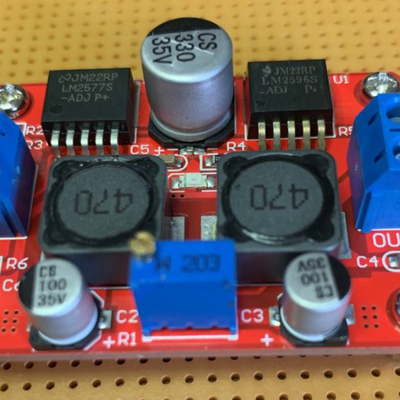
#TXB0104 #Levelshifter - wenn das Teil zu viel Strom zieht mal genau das Datenblatt lesen 🤔 😜 1.2-V to 3.6-V on A port and 1.65-V to 5.5-V on B port (VCCA ≤ VCCB) - das hilft echt 😜 😜 😂 👍
#levelshifter

Pi Pico Becomes SRAM for 1981 Educational Computer https://hackaday.com/2023/09/10/pi-pico-becomes-sram-for-1981-educational-computer/ #RaspberryPiPico #Retrocomputing #levelshifter #sramemulator #RaspberryPi #busch2090 #sram

OMG this is perfect!
https://schleuss.online/@itnewsbot/108897456821677441
itnewsbot@schleuss.online - YouTube Like It’s 1970s France with this Minitel-VCR Mashup - When it’s not just sticking fake gears on things and calling it a day, the Steampu... - https://hackaday.com/2022/08/27/youtube-like-its-1970s-france-with-this-minitel-vcr-mashup/ #retrocomputing #levelshifter #raspberrypi #mash-up #minitel #youtube #serial #lirc #vcr #vlc

JTAG Hat Turns Raspberry Pi Into a Networked Debugger
Over the last year or so we've noticed a definite uptick in the number of folks using OpenOCD on the Raspberry Pi. It's a cheap and convenient solution for poking around with various microcontrollers and embedded devices, but not always the most elegant. Looking to improve on the situation somewhat, [Matthew Mets] has been working on a purpose-built JTAG Hat to clean things up a bit.
Onboard level shifters allow you connect to JTAG and SWD interfaces from 1.8 to 5 V, and if you power the target device from the Pi itself, there's even support for measuring the voltage and current. To connect up to your target, the open hardware board features a "legacy" pin header perfect for jumper wires, as well as a dedicated 10-pin Cortex Debug Connector. Whether you spin up your own or buy one assembled, it certainly looks like a tool worth having around if you often find yourself working with the appropriate chips.
In addition to the design files for the hardware, [Matthew] has also provided some nice documentation on how to get the software side of things up and running. Starting with a blank SD card, it walks you through the initial setup of the Raspberry Pi all the way through the installation and configuration of a patched version of OpenOCD designed to support the JTAG Hat.
If you spend more time working with 8-bit AVR chips, don't worry. Last year we covered a similar project to turn everyone's favorite Linux SBC into an all-in-one microcontroller development powerhouse.
#raspberrypi #toolhacks #debug #jtag #levelshifter #microcontrollers #openocd #swd
Tetris For Game Boy Gets Online Multiplayer
Released in 1989, the Game Boy version of Te tris is notable for being the first game to support multiplayer via the so-called "Game Link Cable" accessory. So it's fitting that, 32 years later, that same game is now playable with others over the Internet thanks to an open source USB adapter from [stacksmashing].
As explained in the video below, the adapter is essentially just a Raspberry Pi Pico paired with some level shifters so that it can talk to the Game Boy's link port. That said, the custom PCB does implement some very clever edge connectors that let you plug it right into the Link Cable for the original "brick" Game Boy as well as the later Color and Advance variants. This keeps you from having to cut up a Link Cable just to get a male end, which is what [stacksmashing] had to do during the prototyping phase.
The DIY breadboard approach works as well.
Of course, the hardware is only one half of the equation. There's also an open source software stack which includes a Python server and WebUSB frontend that handles communicating with the Game Boy and connecting players. While the original game only supported a two person head-to-head mode, the relatively simplistic nature of the multiplayer gameplay allowed [stacksmashing] to expand that to an arbitrary number of players with his code. The core rules haven't changed, and each client Game Boy still thinks it's in a two player match, but the web interface will show the progress of other players and who ends up on top at the end.
To be clear, this isn't some transparent Link Cable to TCP/IP solution. While something like that could potentially be possible with the hardware, as of right now, the software [stacksmashing] has put together only works for Tetris. So if you want to battle Pokemon over the net, you'll have to do your own reverse engineering (or at least wait for somebody else to inevitably do it).
The Link Cable port on the Game Boy, especially on the later versions of the hardware, is a surprisingly versatile interface capable of much more than just multiplayer gaming. While we're certainly keen to see [stacksmashing] develop this project farther, we're equally excited to see the non-gaming applications of such an easy to use computer interface for the iconic handheld.
[Thanks to Mark for the tip.]
#nintendogameboyhacks #gameboy #gameboylinkcable #levelshifter #linkcable #python #raspberrypipico
Client Info
Server: https://mastodon.social
Version: 2025.07
Repository: https://github.com/cyevgeniy/lmst