#epomaker

2026-02-19

Terminal Tilt: Upcoming Schedule

Tomorrow: Divoom Pixoo 64 Review.

Monday, Feb 23: Sovereign Authentication (Part 3) – The YubiKey 5 Series Review.

Feb 26: Keychron Q1 V2 – 4 Years Later.

March 2: Sovereign Authentication (Part 4) – Nitrokey 3A NFC Review.

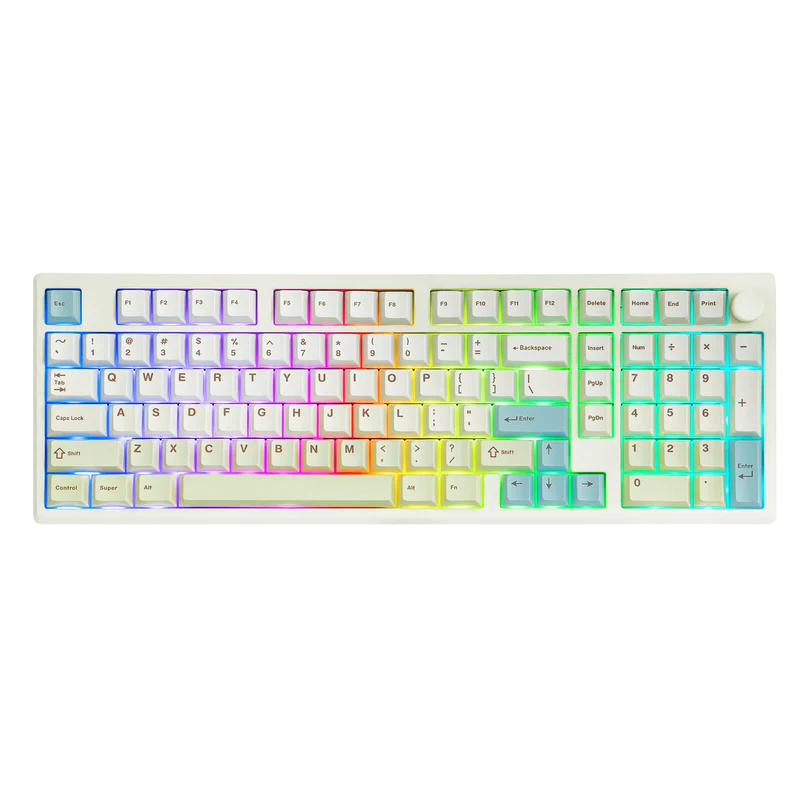
March 5: Epomaker TH99 Pro Review.

March 9: Sovereign Authentication (Part 5) - Token2 Keys Review

youtube.com/@TerminalTilt

#TerminalTilt #DigitalSovereignty #RightToRepair #Privacy #SelfHosted #YubiKey #Nitrokey #Keychron #Epomaker #Token2 #Divoom #Pixoo64 #DivoomPixoo64 #Zettlr

A screenshot of a dark-themed file manager in the application "Zettlr" showing a folder hierarchy for the Terminal Tilt YouTube channel. Under a main "youtube" folder, there are subfolders for "Divoom," "keychronq1v2-4yrslater," and "securitykeys-series." The "securitykeys-series" folder is expanded to show several video projects, with files visible for a YubiKey 5 Review, a Nitrokey 3 Review, and folders dedicated to Kdenlive project files and audio assets.
2026-02-16

The Aula x Epomaker F75 Max is a good looking mechanical keyboard that comes at us at an amazing price point. Go get yours now!

#mechlands #aula #epomaker #mechanicalkeyboard #keyboard #tech #computer #technology #review #blog

churapereviews.com/2026/02/16/

2026-02-10

I thought it might be fun to share the current Terminal Tilt workload and the state of things for February 2026.

We recently crossed 1000 subscribers (currently at 1033) and 100,000 views since starting the channel in December. That is pretty amazing and it shows there is a thirst for honest #NoAI Linux based videos that explore all things technology (especially privacy).

The "Sovereign Authentication" Series Video 0 of the hardware security key series is already live (published Feb 9!). Today was a heavy production day, I recorded the voiceovers for 3 of the 4 remaining videos. I have one more VO to capture, and then the heavy lifting begins in Kdenlive.

Each video usually takes me between 2 and 8 hours to edit. I’ve already finished the thumbnails, so once that final recording is done (hopefully tomorrow, depending on life in general), I’m jumping straight into the timeline.

Once the security series wraps, I am looking at my 4-year-old Keychron Q1 V2. I have heavily modified it, lubed Gateron Ink v2 Blacks, custom padding, and keycaps. That video will serve as a primer for future keyboard reviews, followed immediately by a look at the Epomaker TH99 Pro currently sitting in the box next to my desk.

In the future, I am also working on:

A look at the Divoom Pixoo 64 (pixel art display) and the Fanttik E2 Ultra electric screwdriver.

A giant overview of ~50 Debian-based (non-Ubuntu) distros. I have had requests for "shiny" trend chasing distros like CachyOS, but I am resisting chasing the views.

I am researching Linux-friendly networking equipment for future reviews, probably going to look at a few switches.

I am also exploring the potential of doing live streaming. I have concerns about doing it on YouTube as their algorithm can penalize your long-form videos when you post VODs from past streams. I might just start streaming on Twitch, but that audience doesn't seem to fit what we are building. OwnCast would be ideal but I don't think my homelab is ideal for that setup. I could stream on PeerTube but I am also worried about filling up my allotted storage with VODs on my instance.

Some ideas I have had for a live streaming are things like maintenance of my Thinkpad by cleaning and reapplying thermal paste, or we could do "Sysadmin Sundays Mornings" where I update and maintain all of the systems I am responsible for, or even blindly exploring obscure and unique distros together. We could also just do some Linux Gaming. We will see, no promises.

I have a .md file overflowing with ideas, so there is plenty more to come. Thanks for following the journey!

#TerminalTilt #GNULinux #GNU #Linux #FOSS #OpenSource #Debian #Privacy #MechanicalKeyboards #NoAI #EpoMaker #Keychron #Divoom #Pixoo64 #Fanttik #Kdenlive #YouTube #PeerTube #Twitch #OwnCast

A top down photo showing a black Keychron Q1 V2 mechanical keyboard with custom orange and dark grey keycaps. In the front the retail box for an Epomaker TH99 Pro mechanical keyboard sits on the desk, highlighting its 98-key layout with a digital screen and knob.
2026-01-16

The QK108 mechanical keyboard has a cool, classic aesthetic, but it left me a little disappointed.

#epomaker #mechanicalkeyboard #keyboard #tech #technology #review #blog

churapereviews.com/2026/01/16/

2025-12-30

If you are looking for a keypad with a bit of extra room for activities, do yourself a favor and pick up the Epomaker TH33

#epomaker #keypad #workflow #tech #technology #review #keyboard #blog

churapereviews.com/2025/12/30/

Level Techleveltech
2025-12-22

On a testé l'EPOMAKER x AULA F75 👌
Clavier mécanique 75 % confortable, frappe douce grâce au gasket, switches Reaper efficaces, triple connexion (USB, 2,4 GHz, Bluetooth) et bonne autonomie.
Un modèle compact et polyvalent au quotidien.

leveltech.fr/test-epomaker-x-a

2025-12-16

It's been a while since I've read such a good, in-depth review! This write-up on the Epomaker Hack59 (an HHKB-inspired mechanical keyboard) is a gem. Covers all the important bits.

gadgetoid.com/2025/09/07/epoma

2025-11-05

Just got my #epomaker TH99 and I must say it’s brilliant! Working well with Fedora once I got the fn lock issue sorted which just needs fnmode=2 configuring for the hid_apple kernel module.

Epomaker TH99 Keyboard
2025-10-28

The Epomaker RT85 is a very cool looking keyboard, but well does it it stack up against the competition?

#epomaker #mechanicalkeyboard #keyboard #tech #technology #review #gaming #blog

churapereviews.com/2025/10/28/

2025-10-21

I tried out the Epomaker Galaxy100 Lite. It is a very cool looking keyboard, but it was also a bit of a disappointment.

#epomaker #mechanicalkeyboard #keyboard #tech #technology #review #blog

churapereviews.com/2025/10/21/

2025-10-21

Is the Galaxy100 Lite Worth It? In-Depth Review

I want to give a special shoutout Imegg on Fiverr for drawing my new site icon. He made me look so cool in so little time, and he deserves any attention I can send his way. If you’re looking for a cool cartoon-style portrait for a price I think is too cheap for the quality, check him out on Fiverr!

Disclaimer

Epomaker sent me the Galaxy100 Lite with the Wisteria Linear Switches for free to review for my blog. While I am very grateful for the opportunity, I won’t let it sway my opinions. This will be my honest review. Make sure you also check out my reviews for the TH108 and the HE80. I’ll also be using my Amazon affiliate link where possible. Using it before you buy anything really helps me out.

Table of Contents

  1. Disclaimer
  2. Table of Contents
  3. What’s in the box?
  4. Features
    1. Design
    2. Performance
  5. Sound Test
  6. Review
    1. Quality
    2. Comfort
    3. Typing Experience
    4. Performance
    5. Conclusion

What’s in the box?

https://www.youtube.com/shorts/noNP-vSmknA

  • Galaxy100 Lite Mechanical Keyboard
  • USB-A to USB-C Braded Cable
  • Key/Switch Puller
  • 2 x Extra Switches
  • Mac Key Caps (Command and Option)
  • 2.4 GHz Dongle
  • User Manual

Features

The Galaxy100 Lite is a gasket mounted, full sized keyboard ready to take on any workload. It features a modern yet functional design, and is loaded with the performance to upgrade any workstation.

Design

The Galaxy100 Lite comes in either black or white. The sleek aluminum frame sports a 7 degree, fixed typing angle for a comfortable experience. The aluminum frame gives it its modern aesthetic, and the heft to keep it stationary. The inside layered design gives the keyboard its satisfying thacky sound.

The Keyboard has 100 keys and a nice little knob for volume controls. All 100 keys are supported by the Feker Marble White or the Wisteria Linear switches which offer soft reliable inputs. Each key and switch is easily hot swappable with the included tool for easy repair, cleaning, and customization. Each key is also illuminated with a soft south facing RGB for those who want it. The

Performance

All 100 keys can be easily remapped with QMK or VIA for any task, but the preprogrammed shortcuts are handy enough for most users. The Galaxy100 Lite supports fast wireless connections through its 2.4Ghz included dongle and Bluetooth 5.0. The massive 8000mAh battery gives the keyboard the life it to keep your desk clutter free, and your workflow uninterrupted. But, the high-quality wired cable is ready to pick the slack when needed. Whether you are a gamer looking for an upgrade or an officer worker looking for a full-sized keyboard, the Galaxy100 lite promises to be exactly what you need.

Sound Test

https://www.youtube.com/shorts/LrUtLueX9uM

Review

The Galaxy100 Lite is a nice looking keyboard with solid design and decent typing sound, but it has a few issues that make it hard to recommend.

Quality

The Galaxy100 Lite is not a light keyboard. I was a little surprised by the weight of the box, but overall satisfied with the weight. I personally prefer a heavier keyboard. The quality of the keyboard itself is fine. The aluminum frame is elegant and well machined, and the keycaps look like they won’t fade anytime soon. The caps do feel like they are made with cheap plastic, but most people won’t notice. They will get the job done.

Comfort

It did take some adjusting, but the keyboard did get more comfortable with use. I wouldn’t say the Galaxy100 Lite is an ergonomic solution because at the end of the day, my hands were sore. They were still usable, but the discomfort is enough to issue a warning. I have a repetitive stress injury that requires specific ergonomics, and this discomfort won’t affect everyone. If you are using this keyboard a normal amount, it is not a problem. My issue always came after eight straight hours of my data entry job, and even then the pain is manageable. Not manageable enough to keep it as my daily driver, but enough to place it above the average cheap mechanical keyboard.

Typing Experience

The typing experience is average if I am being honest. The sound does sound a little cheap. It isn’t as bad as the Epomaker x Aula F75, but Epomaker x Aula F108 does it better. The Wisteria switches are solid, with an actuation force to help with the fatigue. The typing angle is where I feel the most torn. The angle is fine, but I wish I could adjust it. I find a higher angle more comfortable, but most people will be okay with 7 percent. Overall, the keyboard will do in a pinch, but it isn’t the satisfying mechanical keyboard experience I want it to be.

Performance

For the first couple of days that the keyboard worked, the performance was great. There was no ghosting, and I got about 10 hours on a single charge. The battery life is the best part of this keyboard because it soon started to fail. I might have gotten unlucky with a defective unit, but it does shatter my confidence in the longevity of the product.

The first bug I encountered was the RGB failing. The lights began to flicker wildly like a lightbulb about to go out. A quick reset fixed the issue, and I would have moved on if the second bug wasn’t repeatable. If I tried to switch from the wired mode to either of the wireless while the keyboard was charging, it wouldn’t connect. It would forget my Bluetooth connection and the included dongle. Resting the keyboard fixed it the first time, resetting the Bluetooth connection worked the second time. By the third time I knew what was up, but I wanted test it. It is repeatable, at least on my unit. I know I can reach out and get a working unit, but that’s an extra step I shouldn’t have to take. Again, I might have gotten unlucky with my unit and your mileage will vary.

Conclusion

The Galaxy100 Lite is a very cool looking keyboard, but one that struggles to keep up with its competition. I can’t recommend the keyboard because mine came defective, and even if the next one I get doesn’t come defective, I don’t know if I can trust it to work much longer than my standard test period. If you are looking for a good full-sized keyboard, I recommend getting something like the Epomaker TH108, or the KiiBOOM Phatom 98 if you’re feeling fancy. But if you like the vibe and want to risk it, you can pick up the Galaxy100 Lite on the official Epomaker store, or on Amazon through my affiliate link.

#2025 #blog #blogger #blogging #entertainment #epomaker #game #gaming #gamingBlog #keyboard #mechanicalKeyboard #review #Reviews #techReview #watch #wordpress #writing

2025-10-11

The Epomaker x Aula F75 may not be the best, but it is a solid budget mechanical keyboard with cool colors and solid switches

#mechlands #epomaker #aula #mechanicalkeyboard #keyboard #tech #techreview #technology #blog #review #keyboard

churapereviews.com/2025/10/11/

2025-10-11

Epomaker x Aula F75: An Honest Review

Disclaimer

Mechlands sent me the Epomaker x Aula F75 with the LEOBOG Reaper switches to review for my blog. While I am very grateful for the opportunity, I won’t let it sway my opinions. This will be my honest review. Make sure you check out my reviews for the Mechlands Vibe 99 and the Vibe 75 V2.

  1. Disclaimer
  2. What’s in the box?
  3. Features
    1. The Keyboard
    2. Comfort and Design
    3. Sound Test
    4. Utility
  4. Review
    1. Quality
    2. Comfort
    3. Performance
    4. Conclusion

What’s in the box?

https://youtube.com/shorts/th91zEg07ZY

  • Epomaker x Aula F75 Wireless Mechanical Keyboard
  • 2.4G Dongle
  • USB-A to USB-C Cable
  • Key/Switch Puller
  • User Manual

Features

Epomaker and Aula have reunited to bring us a stylish and fordable solution to gaming. Whether you need a budget keyboard for work or play, the F75 promises to bring enough utility for any occasion.

The Keyboard

The keyboard has a modern clean design with well manufactured parts and clearly printed PBT keycaps. This 75 percent keyboard measure 143.2mm by 322.7mm for usable form factor experience. The 80 keys that make up the keyboard all are all lit with a beautiful south-facing RGB profile for that coveted gaming aesthetic. The switches are blubbered and as easily hospitable as the keycaps. The keyboards gimmick is the smooth volume dial that also controls the media.

Comfort and Design

The F75 has a very desirable typing angle for a comfortable typing experience out of the box. This angle can be adjusted for a more tailored experience. The prelubbed switches come in three different styles: Crescent, LEOBOG Reaper, and Ice Veign. Each designed to provide users a unique experience, the only questions is what sound and level of actuation you prefer. The five-layer padding design helps dampen the sound, while keeping a bit of that Typing ASMR alive.

Sound Test

https://youtube.com/shorts/1wHR1hiQPCk

Utility

The F75 supports three connections: 2.4G wireless (with included dongle), Bluetooth, and wired. These connections can be swapped easily with a flick of a switch. Both wireless and Bluetooth settings a fast, low latency connection ideal for most gaming environments. The included high quality cable can pick up the slack for anything else. But fast wireless connections are worthless without a strong battery supporting them. The F75 features a respectable 4000 mAh battery that is more than enough in most cases. User experience varies, especially if you’re going crazy with the RGB effects.

Review

As far as budget keyboards go, the Epomaker x Aula keyboard is a solid contender. The features and quality keep it from being a luxury upgrade, but it does enough to be worth the price price tag.

Quality

At first glance, users will be impressed by the design. Everything looks clean and the printing is clear. Picking up the keyboard doesn’t raise too many flags. The keyboard has a good weight for home and travel use, and the construction feels sturdy. I didn’t notice any concerning flex with my unit. Actually using the keyboard is where the cracks start to show.

Unfortunately, the keycaps are cheap, and they feel cheap the more you use them. They feel sharp and harsh to the touch, and they produce the ugliest typing sound. If you’re looking for good typing ASMR, you might have to swap out the caps or switches, but that defeats the purpose. If you’ve never used good keycaps or need something affordable to throw around, this doesn’t matter. They’re good enough.

Comfort

Despite the cheap keycaps, I was pleasantly surprised at how comfortable the F75 actually is. The typing angle out of the box is fantastic and the switches are solid. Although the keycaps are harsh to my fingers, the switches were soft to my joints. The don’t trigger my repetitive stress injury like other cheap keyboards do, and that is a huge win for me. While I wouldn’t say it is an ergonomic keyboard, it is an ergonomic enough design to keep my hands functional after prolonged use.

Performance

The F75 gets the job done out of the box. The switches all worked and were responsive, and the connection was stable. I didn’t notice any ghosting or faulty switches through my tests. This is a keyboard that is very easy to install, and even easier to tweak if needed. The preprogrammed shortcuts were all easy to find and incredibly helpful. I like the little cheat sheet included in the box. Most importantly, the battery life is great. I got about eight hours of continuous use off a single charge with the RGB on. This is enough for most cases.

Conclusion

If you’re looking for a keyboard at this price range, it doesn’t get much better. With the F75, you are getting a cool looking keyboard with comfortable switches and enough keys for most work flows. The media nob is a fantastic gimmick, especially if you like working while listening to music. The Switches may feel cheap, but I never got the impression like they would fade or start to look ugly. If this is your budget, get the F75.

You can pick up the Epomaker x Aula F75 on the official Mechlands store, or through Aliexpress.

#aula #blogger #blogging #entertainment #epomaker #gaming #internet #keYboard #keyboard #keyboards #mechlands #review #Reviews #techReview #watch #wordpress #writing

Xyphoid processXyphoidProcess
2025-10-10

Bought some Aliaz Silent Tactile Switches to switch out the brown Cherry switches in my I use for work. Now I'm thinking of also changing the Blue Navies in my ... I do like the clicky Kailh, but tactile may be a new interest. Maybe I'll order some more switches to test. Any tips for tactile (that you can really feel and 100gf or heavier) switches?

2025-09-06

If you're looking for a full-sized mechanical keyboard but don't like the noise, get Epomaker's nearly silent TH108 mechanical gaming keyboard

#epomaker #mechanicalkeyboard #keyboard #tech #technology #review #blog

churapereviews.com/2025/09/06/

2025-09-06

Epomaker TH108 Review: The Best Silent Mechanical Keyboard

Disclaimer

Epomaker sent me the TH108 Mechanical Keyboard with the Sea Salt Silent switches for free to review for my blog. While I am very greateful for the opportunity, I won’t let it sway my opinions. This will be my honest review. Make sure to check out my latest reviews for the HE68 and the HE80 keyboards. I’ll be using my Amazon Affiliate link where possible. It really helps me out if you use it.

What’s in the box?

https://youtube.com/shorts/_mi1YRwLrr8

  • Epomaker TH108 Full Sized Gaming Keyboard
  • USB-C to USB-A cable
  • Wireless 2.4Ghz Wireless Dongle
  • 2 x Extra Switches
  • Key/Switch Puller
  • User Manual

Features

The TH108 is a stylish full-sized keyboard mechanical gaming keyboard. It comes with 108 keys that are easily hot swappable and customizable. The keyboard comes with the Epomaker Creamy Jade switches for the users who want that satisfying thack when they type, or they can opt for the Sea Salt Silent Switches for when they want something a bit more subtle. No matter what switch you choose, you are getting a stylish well machined machine that is available in all black, or a very pretty subtle blue. With the that beautiful south facing RGB as the perfect accent, this keyboard will truly shine on any desk.

But the TH108 is more than just its looks and many keys, it is ready to perform and take on any work load. The TH108 comes with an impressive 8000mAh battery, which means you won’t be reaching for that chord unless you really need to. The 5-layer padded gasket gives the keyboad its satisfying sound and comfortable feel. The switches, whichever you choose, along with the cherry profile keycaps and the perfect adjustable typing angle ensures an almost universally comfortable typing experience. All the glamour and comfort is of course meaningless without the keyboards high speed low-latency wireless and wired connections. The TH108 is ready to upgrade any station, no matter what it’s for.

Sound Test

https://youtube.com/shorts/rKxsVPeYadQ

Review

Users will be impressed by the emasculate build of the TH108. The keyboard may be on the lighter side, but it does not feel cheap. The gasket and switches all look well machined, and the printing on the caps is clear and crisp. I received the blue variant and the color scheme is very pretty. If you are looking for a mechanical keyboard but don’t like the sound, it doesn’t get any quieter than the Sea Salt Silent switches. These things are quietest switches I’ve ever used, and I am sure my wife appreciated every minute of them. If you do enjoy the keyboard ASMR, the Creamy Jade switches are solid and have a very satisfying sound.

The TH108 is also very comfortable. I thought the Sea Salt Switches were a little on the stiffer side, but once I got used to it, I prefer the feedback. Each keypress felt impactful and it didn’t destroy my hands. While I do appreciate the adjustable height, the default typing angle is excellent. I wouldn’t say this keyboard is the ergonomic solution you are looking for, but most users will find it very satisfying. I need special ergonomics for my hands, but the TH108 is very good contender for what I keep in my rotation.

But the keyboard is more than just its pretty aesthetic and silent gimick. This keyboard performs well. It was able to handle all of my gaming and workload without issue. Most importantly, I rarely had to plug it in. I got about 10 hours of use out of the box, and I can’t remember charging since. The wire connection is nice if I want to be competitive, but anything that cuts down my wire clutter is a winner.

If you are in the market for a full-sized keyboard, the TH108 is a fantastic budget option. This keyboard looks good and works great. You can pick up your TH108 on the official Epomaker store, or on Amazon through my Affiliate link.

#2025 #blog #blogger #blogging #entertainment #epomaker #internet #keyboard #mechanicalKeyboard #review #Reviews #tech #technology #watch #wordpress #writing

2025-09-02

The Epomaker HE68 Lite is a cheap option for the gamer who wants a solid gaming keyboard but doesn't want to break the bank

#epomaker #keyboard #tech #technology #review #blog #gaming #wiredkeyboard

churapereviews.com/2025/09/02/

2025-08-23

If you're looking for an affordable upgrade to your gaming setup, check out the Epomaker HE80 wired keyboard.

#epomaker #gaming #keyboard #tech #technology #review #blog #epomakerkeyboard

churapereviews.com/2025/08/23/

Client Info

Server: https://mastodon.social
Version: 2025.07
Repository: https://github.com/cyevgeniy/lmst