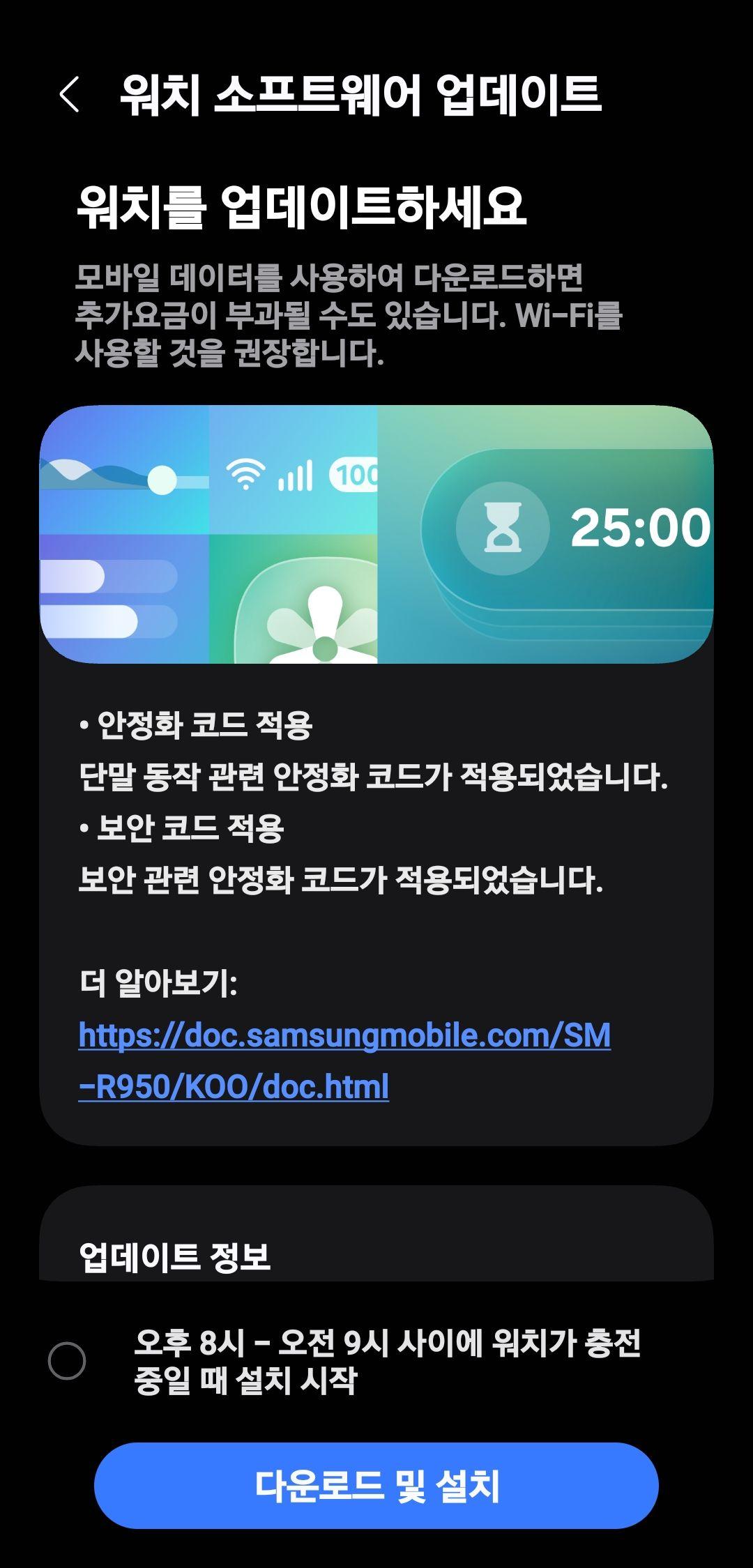
Galaxy A04s receives the December 2024 security patch, before the EOL.
#Samsung #Galaxy #OneUI6 #TeamGalaxy #GalaxyAI #TeamSamsung #TechNews #TechUpdates #GalaxyA04s
Galaxy A04s receives the December 2024 security patch, before the EOL.
#Samsung #Galaxy #OneUI6 #TeamGalaxy #GalaxyAI #TeamSamsung #TechNews #TechUpdates #GalaxyA04s
Gallery Assistant Showcase
This is an article meant to showcase the Gallery Assistant beta that was released for the Korean Galaxy devices before the APK was revealed to the public. Since then, we’ve managed to get our hands on the Gallery Assistant application that we will showcase.
You’ll have to turn off the Auto Blocker feature on your device before you’ll be able to install the APK to your device. Once done, you can turn the feature back on when needed. Please note that Gallery Assistant doesn’t support landscape display rotation yet on tablets, but you can open it in a pop up then add it to the multi window.
Gallery Assistant runs on One UI 6 and higher, and this means that you are required to have a phone or a tablet that’s running at least One UI 6 in order to be able to use this application.
When you open the landing page for the Gallery Assistant, this is what you first see:
You’ll have the following options:
Some of those features already exist in the built-in Gallery app, but the Gallery Assistant offers further options.
Of course, you’ll have to select images and/or videos before every operation, such as reducing the image/video size. You can do this by pressing the plus sign at the top of the screen.
Fitst, let’s introduce you to Reduce Size. It allows you to shrink selected images and videos in bulk. You can also select specific pictures to reduce their size, and you can adjust the slider up to ten levels:
Of course, the size that the slider tells you is estimated, and the actual size differs. When you save the picture, the size has been reduced as in below:
Let’s try again with the significant reduction in size, with the slider adjusted to 20%, which means 0.42 MB estimated.
You can notice that the resolution has dropped as part of the resize process. Not only that, but the sharpness of the image has been reduced. You can notice this by the texture of the hair. The original resolution of the picture was in 3456×2304 (2.1 MB), but it has been reduced to 3382×2255 (1.57 MB) and 1590×1060 (402 KB), respectively.
Here are the two comparisons where we showcase the detail loss:
Reduced to 1.57 MB Reduced to 402 KBSecond, the Rotate and Flip feature allows you to rotate and flip images in bulk. You can, for example, straighten, rotate and flip more than one image at once.
The Straighten button automatically detects the subject and tries to straighten the shot, if necessary.
The rotate and flip buttons are trigger switches, and the images that you select are affected when you save them.
Let’s compare the images, one by one:
NormalRotatedFlippedFlipped and RotatedAs for the image clipper, the result is best when you choose a picture that has a clear subject, such as a picture of an object or a person.
In this case, the subject (an old vintage laptop running Windows 95) has been chosen here, and you can either copy the clipped image or save it. The result is:
Fourth, you can add a watermark to an image using either text or a smaller image, such as your name or your logo. You can also repeat the watermark across the whole image.
You can edit the watermark settings in the Info to show screen. You can select either an image or a text. You can customize the font, the color, the size, and the transparency if you want to show text. Else, you can resize the image and change its transparency to give it a more branded look.
In the Repeat screen, you can manipulate with the watermark by either letting it repeat across the whole image, or by adjusting its direction if it’s not repeated.
Once done, you can save the image as a copy or over the original. After that, you can see the new image with the watermark applied.
The fifth tool that Gallery Assistant provides is the Compare Images feature, where you can compare between two, three, or four images. To achieve the best results, you can choose pictures that look identical, but differ in small or large details, as long as both of them are the same subject.
Sixth, you can save images to a single PDF file.
In the hamburger menu, you can change the page size (A3, A4, or Letter), the layout (Portrait or Landscape), and the image quality (Original, Medium, or Low). You can either save the PDF or share it to someone. The only issue is that the banding in the original images that we’ve used is visible.
Finally, you can print the images. Not only that, but you can also print video thumbnails!
After that, the resultant PDF is saved at the folder that you choose.
Again, the banding issues are here.
While we are very excited to have this app handy, this version of the application has room for improvements. Once the global rollout of the final version starts, we’ll inform you.
Image by drobotdean on Freepik
#Android #Android14 #Android15 #Android16 #AndroidB #AndroidBaklava #AndroidU #AndroidV #news #oneUi #OneUI6 #OneUI60 #OneUI61 #OneUI611 #OneUI70 #OneUI80 #Samsung #smartphone #Tech #Technology #update


We are showcasing the Gallery Assistant app!
#Samsung #Galaxy #OneUI8 #TeamGalaxy #GalaxyAI #TeamSamsung #TechNews #TechUpdates #OneUI7 #OneUI6
https://officialaptivi.wordpress.com/2025/09/15/gallery-assistant-showcase/
Samsung App Showcase: Collection
As the stable One UI 8 rollout begins this September, we’re showcasing a first-party Samsung application that is not available globally except China, called Collection. The APK file got leaked and we’re able to download the file using the link here.
While you can access this app from devices running One UI 6 (2023) and One UI 7 (2025), your experience will feel limited, as you can’t generate summaries for collected items, such as images and text. To gain full experience, One UI 8 is required.
This app allows you to collect text, images, and other elements for quick access in groups known as collections. It’s like an information management system that simplifies the task of having to collect information from dozens of places into a single place, saving time and increasing productivity. For example, you can add a useful chart (as an image) you found on the web to your collection for later reference, or you can copy a block of useful information you found on the Internet to your collection.
To get started, you’ll need to turn off the Auto Blocker feature first, as it prevents APKs from being installed. Then, download the APK file and install it on your device running One UI 6 or later. You can re-enable Auto Blocker once the installation finishes.
Then, go to Settings > Advanced features, and you should see a new button, called Collection.
Press it, and you should see a new menu. Turn on the “Shortcut” checkbook, and you should see a new app called Collection on your home screen.
Open it, and you should be prompted for permissions. Press Allow, and you should be on the main screen.
Now, let’s try creating a collection. First, we took eight images that describe the same thing by using the Share function and selecting Collection at the bottom of the list.
After that, they’ll be immediately be added to the collection, just like below.
Now, let’s try taking a screenshot and saving it to the collection. Below is the source screenshot.
When sharing it to Collection using the Share option that appears at the bottom of the screen once you take a screenshot, it will be added to a new collection.
Pressing an image will yield a preview of the collection that allows you to save it.
Press Save, and a toast message will appear telling you that the collection has been saved successfully. However, the localization used in this success notification is in Chinese.
Once done, open the file manager to the /storage/emulated/0/Pictures/Collection directory to find your saved photo collections here.
Now, let’s try saving a block of text from Chrome to the collection. In One UI 7, we don’t get to see the Summarize button because we’re not running One UI 8 on the Galaxy Tab S8 due to the rollout not starting yet. However, we do get to read the text and to use the text to speech synthesizer to read it aloud.
Do you find Samsung Collection useful?
#Android #Android14 #Android15 #Collection #news #oneUi #OneUI6 #OneUI7 #OneUI8 #Samsung #smartphone #Tech #Technology #update


Galaxy Watch6, Watch7, and Watch Ultra LTE receive August 2025 security update in India!
Samsung has just released the August 2025 security patch in India for the LTE version of Galaxy Watch6, Watch7, and Watch Ultra (2024 original and 2025 reboot). This patch enhances your smartwatch’s security to make sure that you and your data are kept secure. This aligns with the quarterly cadence of the software update scheduling for five years of security updates and four generations of system updates.
The following firmware information is available:
You can now update your smartwatch, but if you still didn’t receive any update, you’ll have to wait for a few days as this rollout is a gradual rollout that starts from Korea. You can periodically check for updates to see if this update has reached your device. We recommend that you update your watch manager in your phone to ensure compatibility with the latest software.
To update your watch, follow these steps:
In an event that something went wrong with copying the update, disconnect your phone from your watch by turning Bluetooth off or by disconnecting it through Galaxy Wearable, then try again from your watch. Make sure to turn Wi-Fi on in your watch to download the update faster.
Make sure that both your phone and your watch are charged before performing the update, and that your internet connection is stable. Never interrupt the update process, or there could be problems later. The update process may take a few minutes to finish, and if it appears to be stuck, just wait for more minutes.
#Android #Android14 #GalaxyWatch6 #GalaxyWatch6Classic #news #oneUi #OneUI6 #OneUI6Watch #Samsung #SamsungGalaxyWatch6 #SamsungGalaxyWatch6Classic #Tech #Technology #update #Watch6 #Watch6Classic
Samsung releases the August 2025 security patch for Watch6, Watch7, and Watch Ultra LTE in India!
#Samsung #Galaxy #OneUI6 #TechNews #TechUpdates #GalaxyWatch6 #GalaxyWatch7 #GalaxyWatchUltra
Samsung releases the August 2025 security patch update for the Galaxy Watch7 [SM-L300/L310]!
#Samsung #Galaxy #OneUI6 #TeamGalaxy #GalaxyAI #TeamSamsung #TechNews #TechUpdates #GalaxyWatch7
https://officialaptivi.wordpress.com/2025/08/25/galaxy-watch7-receives-the-august-security-patch/
Reminder for 2022 Galaxy device updates
Samsung has made a promise that, starting from the Galaxy S21, flagship Galaxy devices will get four years of support starting from the initial release of the device. More specifically, Samsung will update those devices in four generations, while giving them five years of security and stability updates. This was to enhance security and to maximize longevity.
The following flagship devices released prior to the Galaxy S24 series were eligible for this policy:
Since then, we have come to the conclusion that devices released in 2022 are about to receive their last generation update with One UI 8.0 based on Android 16, first appeared in Z Fold/Flip7, and they are:
Samsung is expected to start the rollout after July 30th, but this is an expected date, so take this with a grain of salt, but what is confirmed is that One UI 8.0 will be the last generation update for the abovementioned devices released in 2022. After that, only security updates will make their way to those devices, and devices that are scheduled to get their security updates monthly will be demoted to quarterly security patch update schedule to join the Galaxy Tab S8 series, which receives updates quarterly.
If you have one of those devices, we recommend that you upgrade your device by purchasing the newest releases, such as Galaxy Z Fold/Flip7, to continue receiving updates.
#Android #Android12 #Android13 #Android14 #Android15 #Android16 #news #oneUi #OneUI4 #OneUI5 #OneUI51 #OneUI511 #OneUI6 #OneUI60 #OneUI61 #OneUI611 #OneUI7 #OneUI70 #OneUI8 #OneUI80 #OneUI85 #Samsung #smartphone #Tech #Technology #update

Just upgraded my Galaxy Watch to One UI 6.0 — 951 MB of smooth moves and security from the future (March 2025 patch, baby).
The Force is strong with this one. ⚙️⌚️
Time feels snappier, battery’s holding like a lightsaber grip.
Next step: rule my galaxy, one swipe at a time.
#GalaxyWatch #OneUI6

Another timezone definition update has reached the Samsung Galaxy smartwatches. Update your watch now!
#Samsung #Galaxy #OneUI6 #OneUI8Watch #OneUI8 #TeamGalaxy #GalaxyAI #TeamSamsung #TechNews #TechUpdates #GalaxyWatch
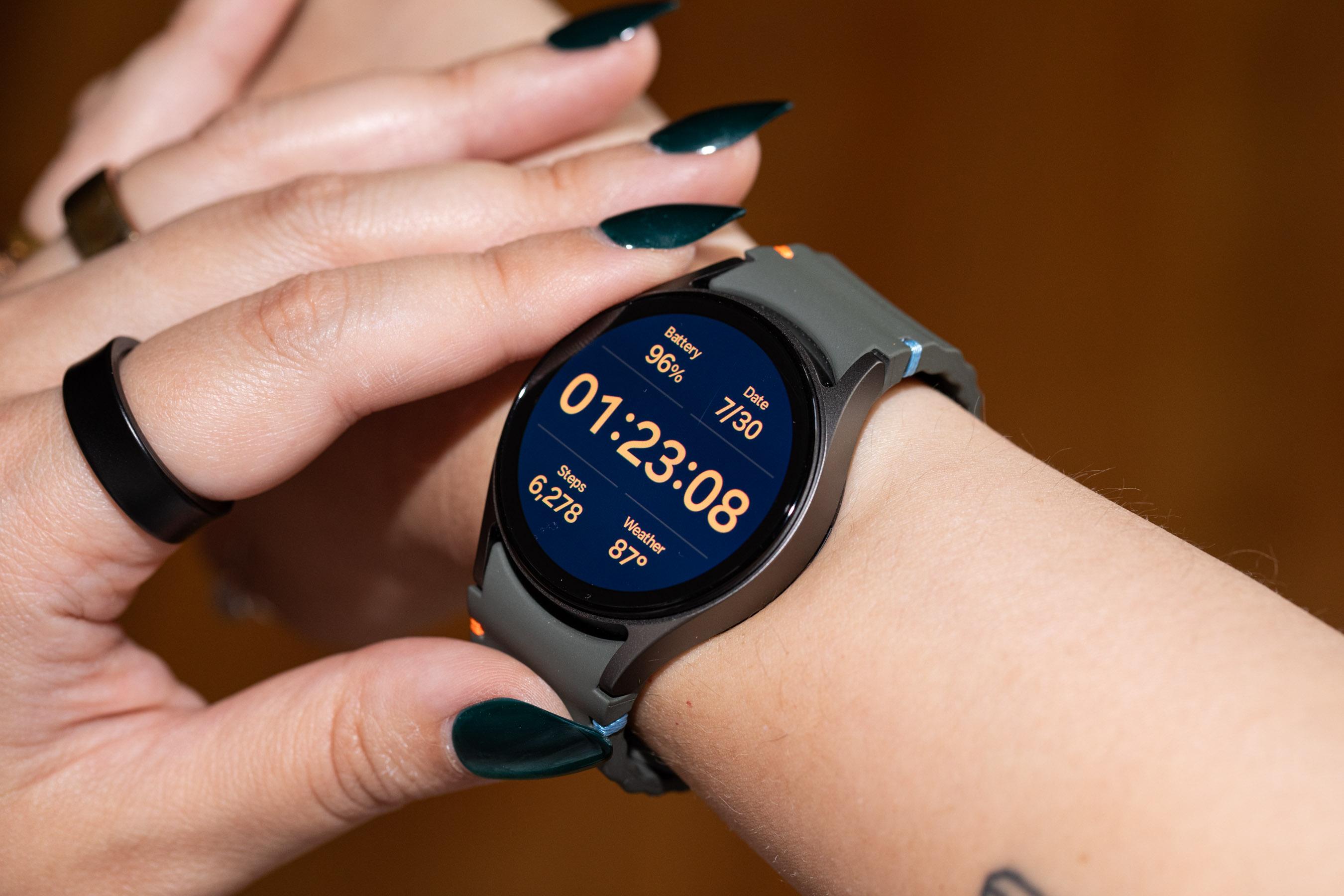
Canadian version of the Galaxy Watch6 LTE will be updated on May 21st! Improve your Galaxy Watch6's battery life!
#Samsung #Galaxy #OneUI6 #TeamGalaxy #GalaxyAI #TeamSamsung #TechNews #TechUpdates #GalaxyWatch #GalaxyWatch6
https://officialaptivi.wordpress.com/2025/05/17/galaxy-watch6-lte-will-be-updated-in-canada-soon/
Samsung releases the Galaxy Watch4 April 2025 update!
#Samsung #Galaxy #OneUI6 #TeamGalaxy #GalaxyAI #TeamSamsung #TechNews #TechUpdates #GalaxyWatch4
https://officialaptivi.wordpress.com/2025/05/09/galaxy-watch4-receives-a-new-update-globally/
Samsung releases the Galaxy Watch5 April 2025 update!
#Samsung #Galaxy #OneUI6 #TeamGalaxy #GalaxyAI #TeamSamsung #TechNews #TechUpdates #GalaxyWatch5
https://officialaptivi.wordpress.com/2025/05/09/galaxy-watch5-receives-a-new-update-globally/
Samsung Galaxy Watch6 receives the new April 2025 update in India and more countries! LTE versions might be delayed.
#Samsung #Galaxy #OneUI6 #TeamGalaxy #GalaxyAI #TeamSamsung #TechNews #TechUpdates #GalaxyWatch6
https://officialaptivi.wordpress.com/2025/04/28/galaxy-watch6-receives-a-new-update-globally/
On April 24th, Samsung Galaxy Watch4 receives a new update! [IYCD]
#Samsung #Galaxy #OneUI6 #TeamGalaxy #GalaxyAI #TeamSamsung #TechNews #TechUpdates #GalaxyWatch #GalaxyWatch4
https://officialaptivi.wordpress.com/2025/04/28/galaxy-watch4-receives-a-new-update/
On April 24th, Samsung Galaxy Watch5 receives a new update! [CYCD]
#Samsung #Galaxy #OneUI6 #TeamGalaxy #GalaxyAI #TeamSamsung #TechNews #TechUpdates #GalaxyWatch #GalaxyWatch5
https://officialaptivi.wordpress.com/2025/04/28/galaxy-watch5-receives-a-new-update/
Galaxy Watch6 will get the April 2025 update globally soon!
Samsung always releases all smartwatch updates to Korea first before all other regions to ensure that everything is OK according to early feedback from users. For example, after the Watch7 update has been released, the April 2025 update has been released to the Galaxy Watch6, starting with Korea. This happened on April 21st.
Our analysis of the release dates of new firmware updates, starting from the final One UI 6 Watch released last November, has come to the conclusion that the following updates were released in this way for the BT version:
For the Watch7, the latest update, AYCD, was released like this:
There is an update pending release for the global, the BYD1 update, that was released in Korea on April 21st, 2025. Therefore, according to the update record, we expect that the global rollout becomes available on either April 28th or 29th. If our analysis is right, the Galaxy Watch6 users will be able to update their watches in the two mentioned days.
Galaxy Watch5 and Watch4 are still waiting for this update.
#Android #Android14 #AndroidU #GalaxyWatch6 #GalaxyWatch6 #GalaxyWatch6Classic #news #oneUi #OneUI6 #OneUI6Watch #OneUI60 #OneUI60Watch #OneUIWatch6 #Samsung #SamsungGalaxyWatch6 #SamsungGalaxyWatch6 #SamsungGalaxyWatch6Classic #smartphone #Tech #Technology #update #Watch6 #Watch6 #Watch6Classic

Get ready for the Galaxy Watch6 April 2025 update global rollout!
Our expectation: April 28th or 29th!
#Samsung #Galaxy #OneUI6 #TeamGalaxy #GalaxyAI #TeamSamsung #TechNews #TechUpdates #GalaxyWatch6
Google Play System Update of April 2025 is now live for Samsung devices!
#Samsung #Galaxy #TeamGalaxy #TeamSamsung #Google #GooglePlay #OneUI6 #OneUI7 #GalaxyAI
More proof that the Galaxy Watch6 gets the update in Korea
#Samsung #Galaxy #OneUI6 #TeamGalaxy #GalaxyAI #TeamSamsung #TechNews #TechUpdates #GalaxyWatch #Smartwatch